Rigol UK

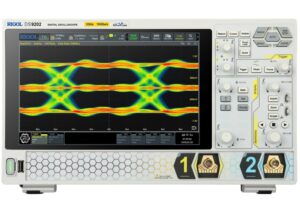
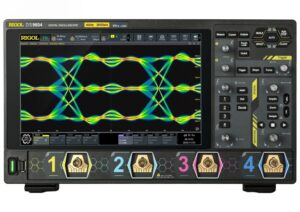
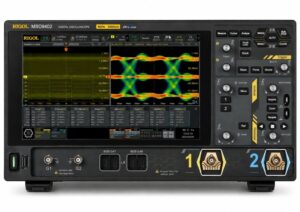
Introducing the Rigol MSO/DS9000 Digital Oscilloscopes!

Posted on: June 1st, 2026 by Kane Brady

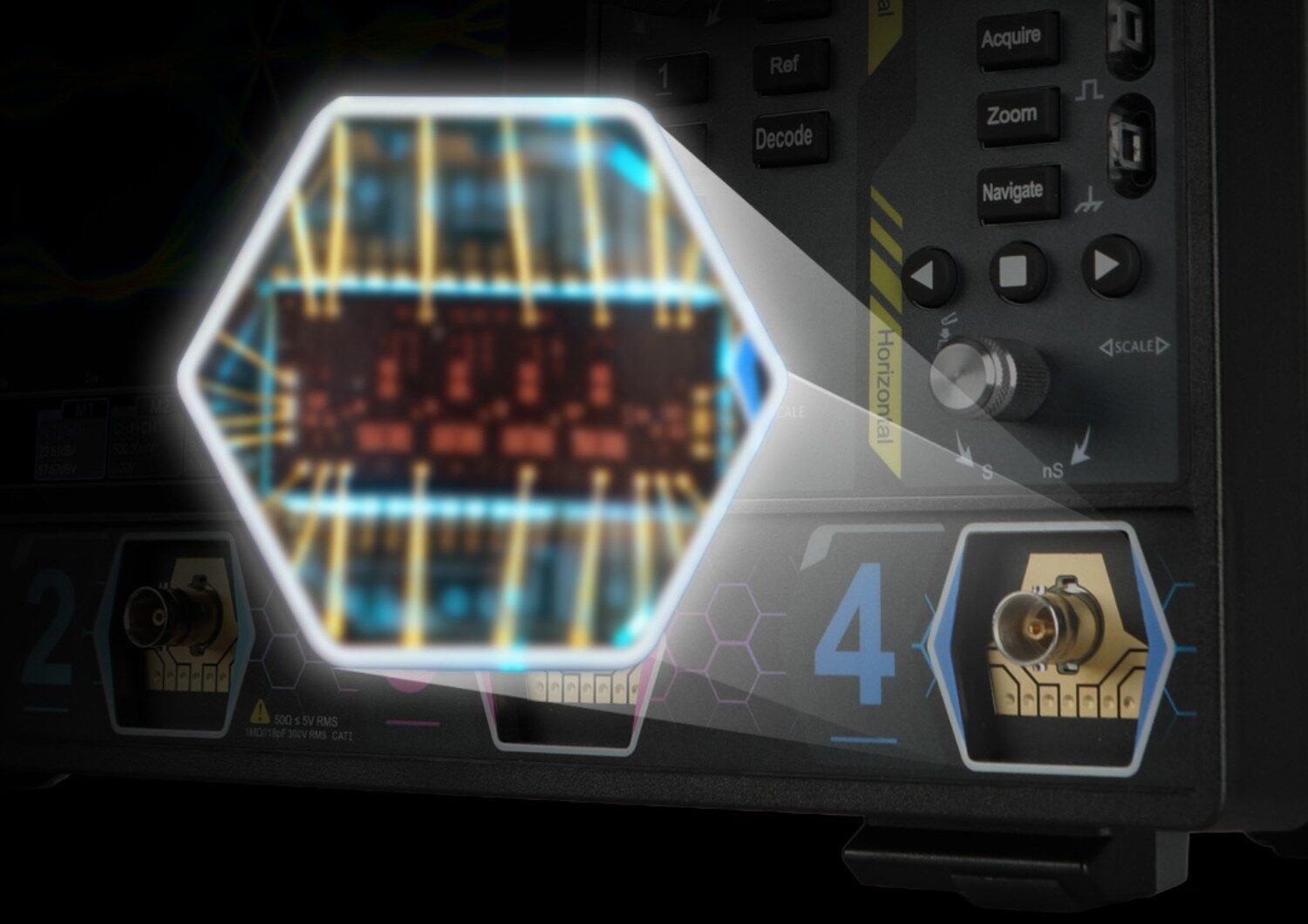
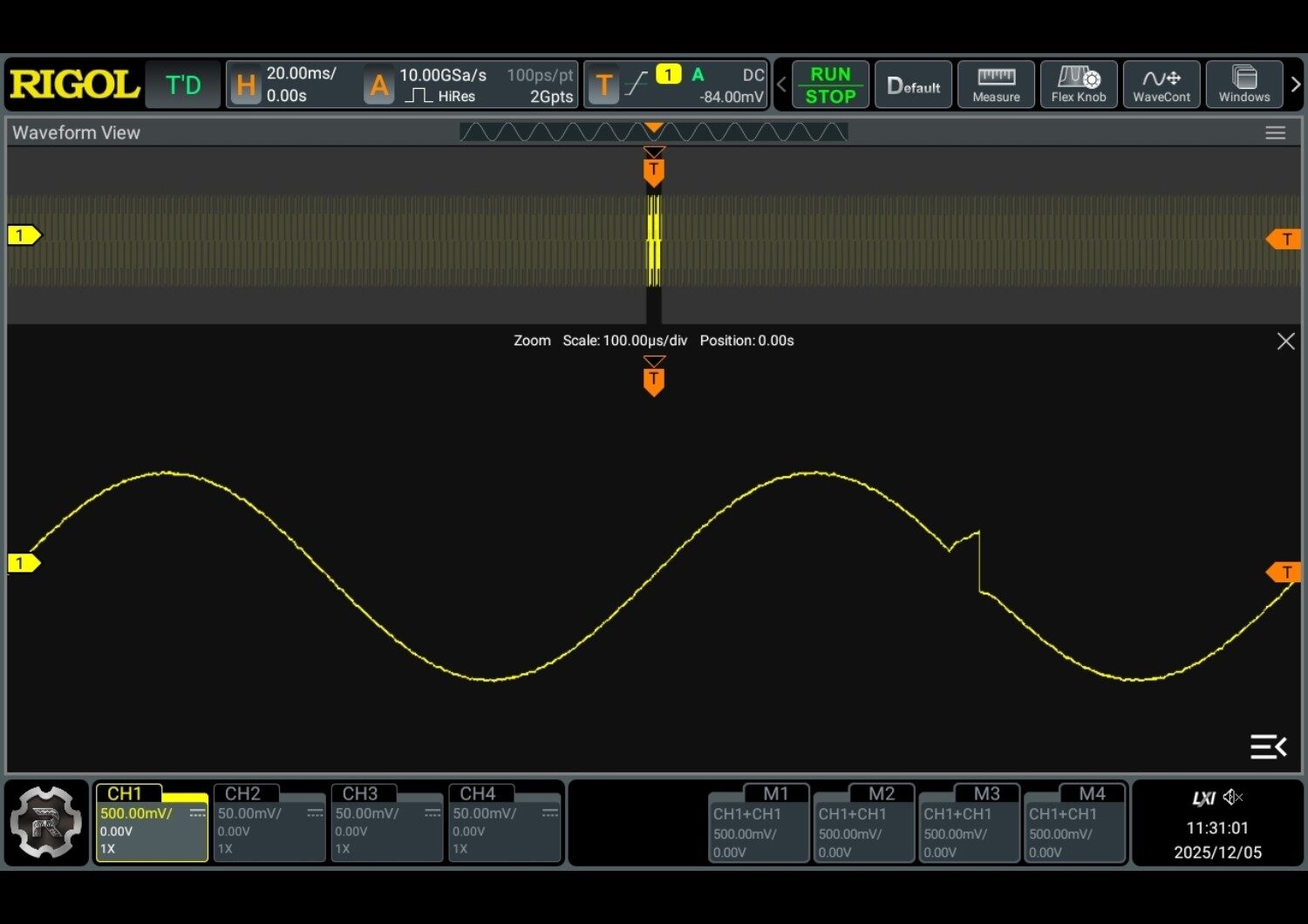
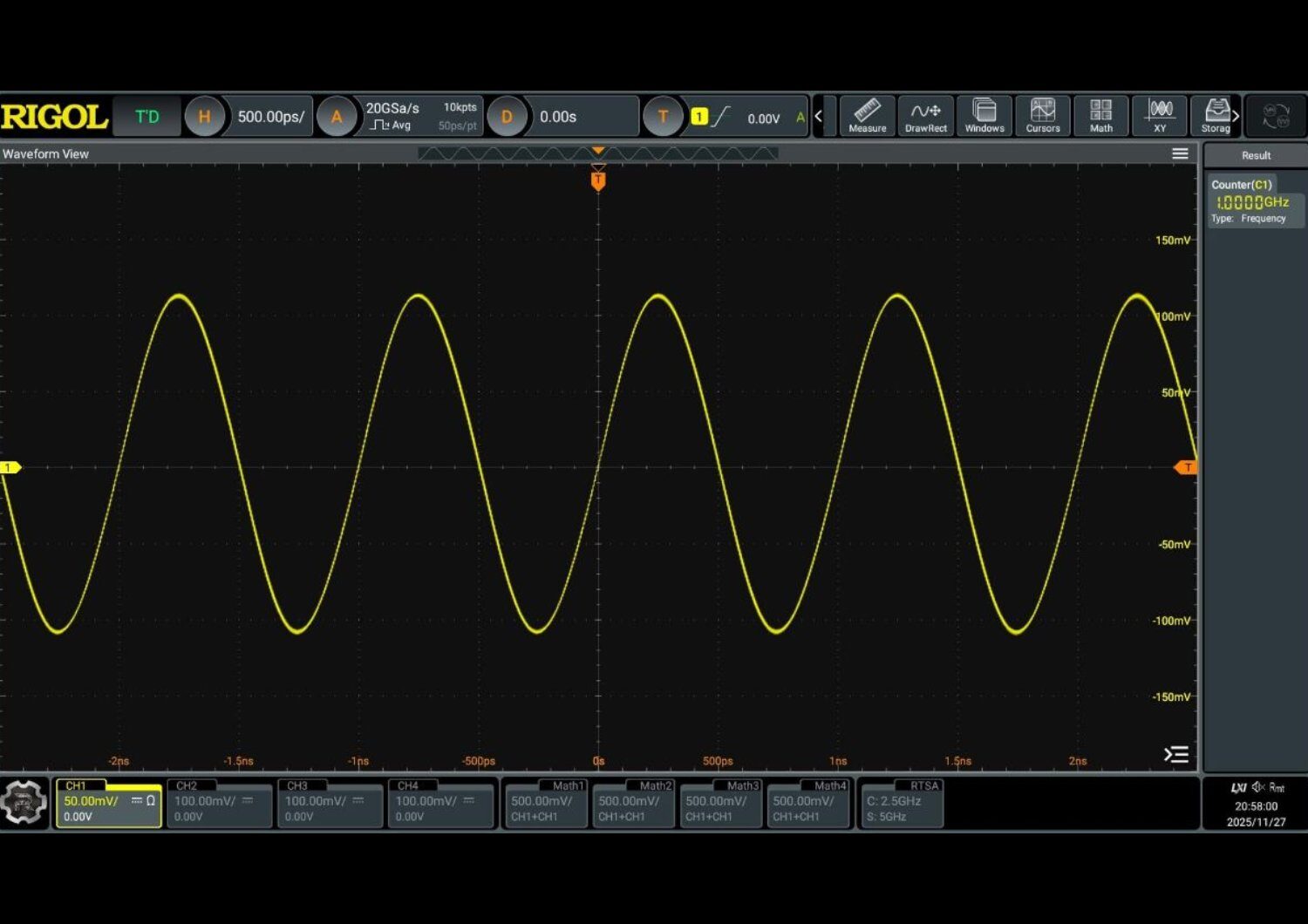
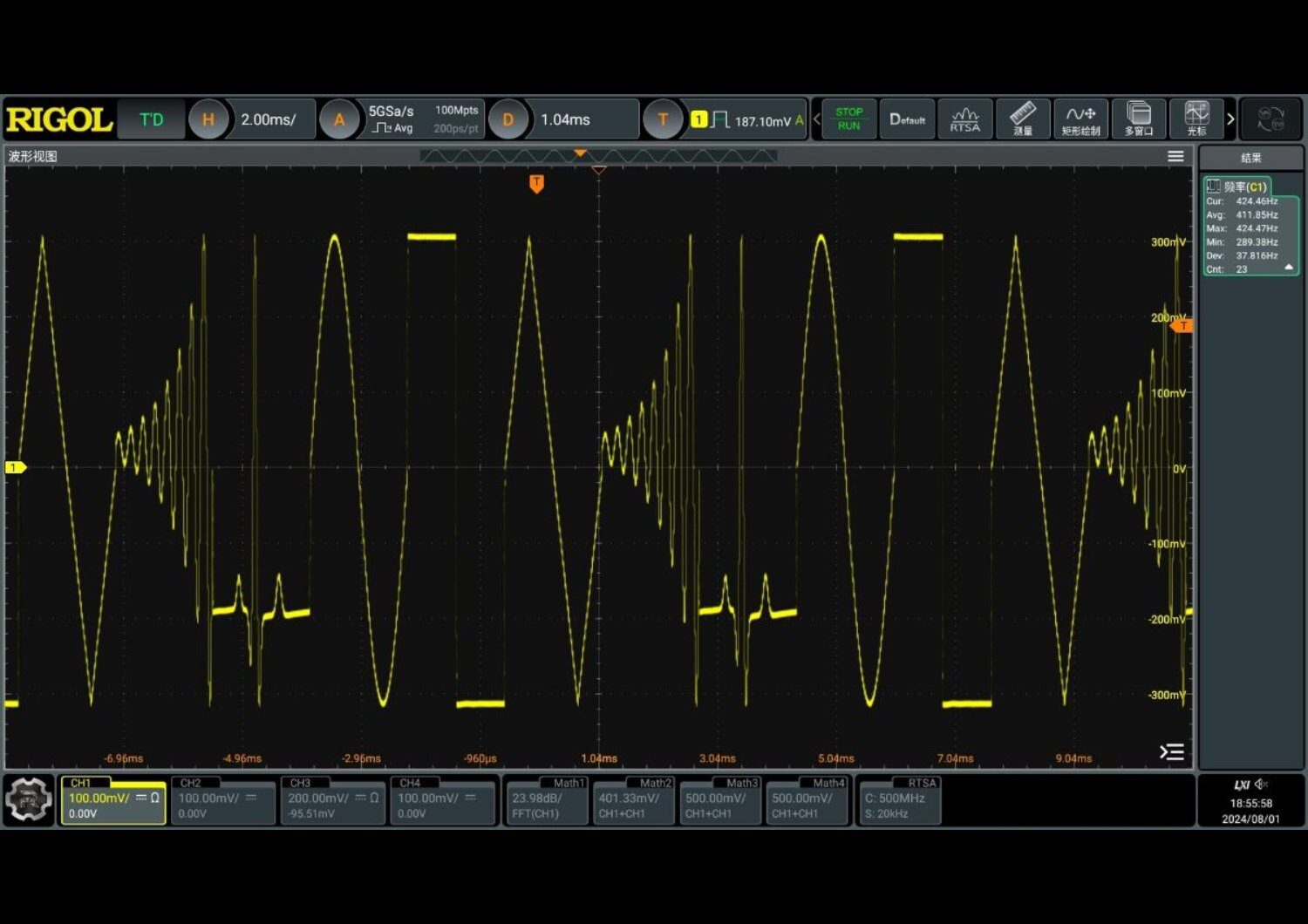
The MSO/DS9000 series digital oscilloscope is designed to meet mainstream application needs in design, debugging, and testing. Adopting RIGOL’s brand-new self-developed module, the oscilloscope achieves a fast waveform capture rate of 1,000,000 wfms/s in the fast recording mode, 2 Gpts memory depth, 8 to 16-bit vertical resolution, all combined with an excellent noise floor performance and vertical accuracy to meet your requirements for more accurate measurements, delivering an exceptional test and measurement experience.

Key Features and Performance

  • Based on RIGOL’s brand-new, self-developed module
  • Up to 4 analogue channels, 1 EXT channel
  • Max. 6 GHz analogue bandwidth
  • Max. real-time sampling rate of 20 GSa/s
  • Max. memory depth of 2 Gpts
  • Max. waveform capture rate of 1,000,000 wfms/s in fast recording mode
  • Vertical resolution: 8 to 16 bits selectable
  • Vertical sensitivity range: 1 mV/div to 10 V/div (1 MΩ), 1 mV/div to 1 V/div (50 Ω)
  • Time base range: 50 ps/div to 500 s/div
  • Up to 2,000,000 hardware real-time waveform continuous recording and playback functions
  • Integrates various independent instruments into one, including a digital oscilloscope, function/arbitrary waveform generator[1], digital voltmeter, 8-digit frequency counter and totaliser, and protocol analyser (optional)
  • Comprehensive trigger and bus decoding functions: Edge, Pulse, Slope, Video, Pattern, Duration, Timeout, Runt, Window, Delay, Setup/Hold, Nth edge, RS232, I2C, SPI, CAN, CAN-FD (optional), FlexRay (optional), LIN (optional), I2S (optional), MIL-STD-1553 (optional), and SENT Decode (optional)
  • Search and navigation, mask testing, and zone trigger functions enable users to identify abnormal signal events and locate them accurately quickly
  • Auto-measurements of 41 waveform parameters
  • Supports Ethernet, Automotive Ethernet, USB 2.0, MIPI D-PHY, and other protocol compliance analysis functions (optional)
  • Supports multiple functions, including digital signal analysis[2], Bode plot[3], and histogram
  • Supports optional real-time eye diagram, jitter analysis, and power analysis
  • Multiple interfaces available: USB HOST & DEVICE, HDMI, AUX OUT, LAN (LXI), and Web Control
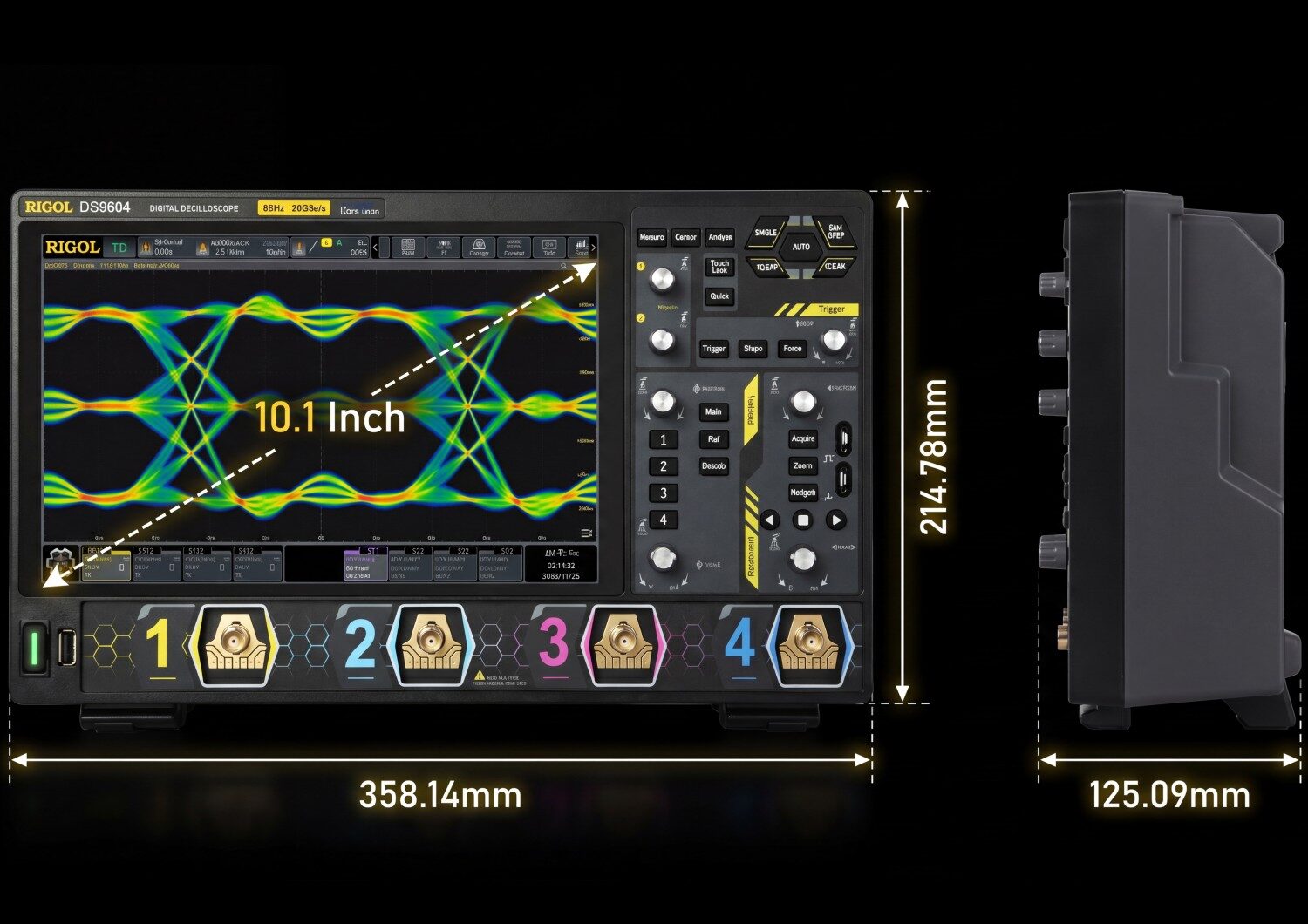
  • 10.1″ 1280*800 HD touchscreen display, portable design
  • User-friendly Flex Knobs for a smoother, more intuitive user experience

Applications

ModelDS9202DS9204DS9404DS9604MSO9402
Analogue Bandwidth (50 Ω, -3 dB)2 GHz2.5 GHz4 GHz6 GHz (half-channel[2]) 4 GHz (all-channel[3])4 GHz
Analogue Bandwidth (1 MΩ, -3 dB)500 MHz
Calculated Rise Time under 50 Ω[1] (10%-90%)≤210 ps≤210 ps≤110 ps≤73 ps≤110 ps
Number of ChannelsDS9202: 2 analogue channels +1 EXT channel DS9204: 4 analogue channels +1 EXT channel DS9404: 4 analogue channels +1 EXT channel DS9604: 4 analogue channels +1 EXT channel MSO9402: 2 analogue channels +1 EXT channel +16 digital channels +2 function/arbitrary waveform generator output channels
Sampling ModeReal-time sampling
Max. Sample Rate of Analogue Channels10 GSa/shalf-channel[2]: 20 GSa/s all-channel[3]: 10 GSa/s
Max. Memory Depth10 Mpts (all-channel[3])Standard: 500 Mpts (half-channel[2]), 200 Mpts (all-channel[3]) Option: 2 Gpts (half-channel[2]), 1 Gpts (all-channel[3])
Max. Waveform Capture Rate1,000,000 wfms/s (in fast recording mode)
Vertical Resolution8 bits (9-16 bits in high-resolution mode)
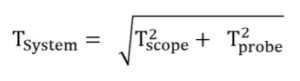
Notes: 1: The total rise time of the measuring system is calculated as: Image of Screenshot 2026 05 20 131944 2: CH1 and CH2 are considered as a group; CH3 and CH4 are considered as another group. If one of the two channels in each group is enabled, it is called half-channel mode. 3: CH1 and CH2 are considered as a group; CH3 and CH4 are considered as another group. If two channels in either group are enabled, this is called all-channel mode.  
See the MSO/DS9000 Series

How to Shop:

Posted in News | Comments Off on Introducing the Rigol MSO/DS9000 Digital Oscilloscopes!

Introducing the DG6000 Series Function/Arbitrary Waveform Generator!

Posted on: May 15th, 2026 by Kane Brady

The RIGOL DG6000 Series of function and arbitrary waveform generators is designed to meet modern, rigorous testing requirements. With a bandwidth of up to 1 GHz and a sampling rate of 2.5 GSa/s, this series delivers reliable performance in a versatile format. Equipped with a 10.1-inch HD touch display, the DG6000 Series ensures an intuitive user experience, allowing users to configure complex parameters with simple gestures. Signal fidelity is maintained by 16-bit vertical resolution and an isolated-channel design, making it highly suitable for demanding applications in the semiconductor, automotive, and advanced research sectors.

Key Features and Performance

  • Up to 1 GHz bandwidth and 2.5 GSa/s sample rate.
  • 16-bit vertical resolution for unmatched signal fidelity.
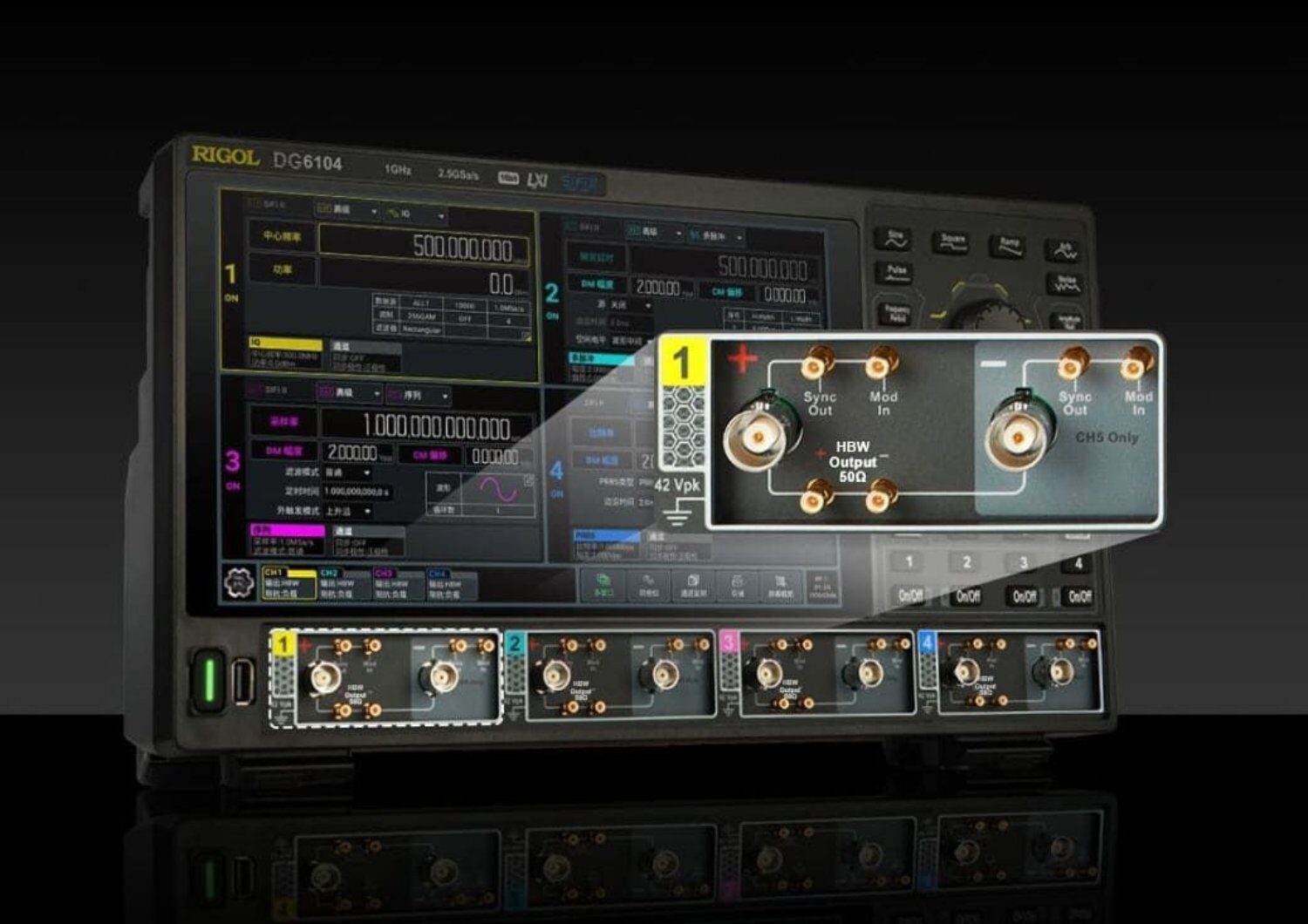
  • Available in 2 or 4-channel models with complete galvanic isolation between channels to ensure clean signals and prevent ground loops.
  • High-amplitude differential output with direct drive (no external amplifier or balun required).
  • Integrated high-order harmonic generator, up to the 20th order.
  • Deep memory for arbitrary waveforms up to 256 Mpts per channel, expandable to 512 Mpts.
  • Native Web Control integration for seamless remote operation.
  • Three output modes to adapt to different applications:
    HBW (High Bandwidth): maximum bandwidth up to 1 GHz.
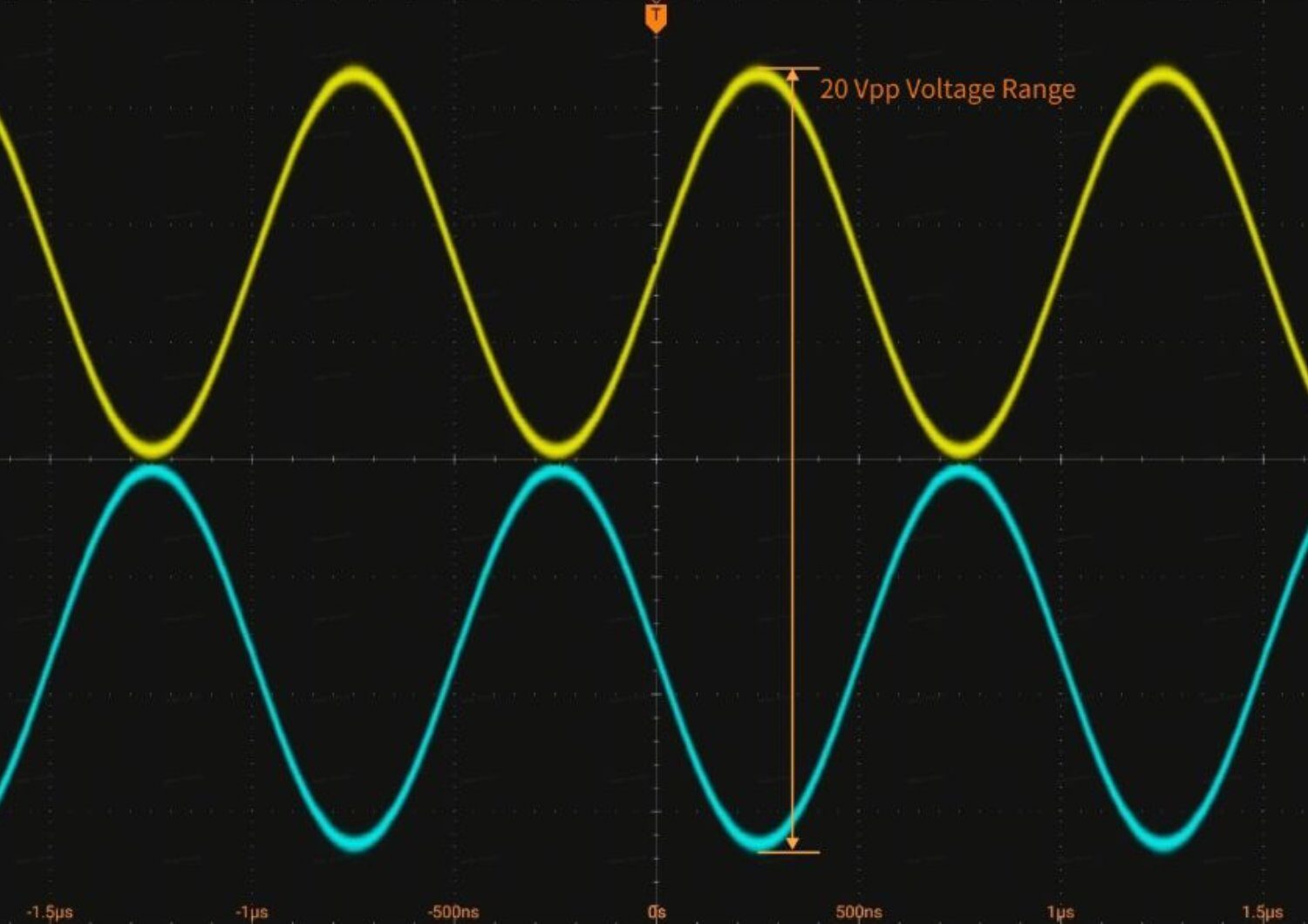
    AMP (High Amplitude): high amplitude up to 20 Vpp differential.
    SND (Single-Ended): standard single-ended output for compatibility.

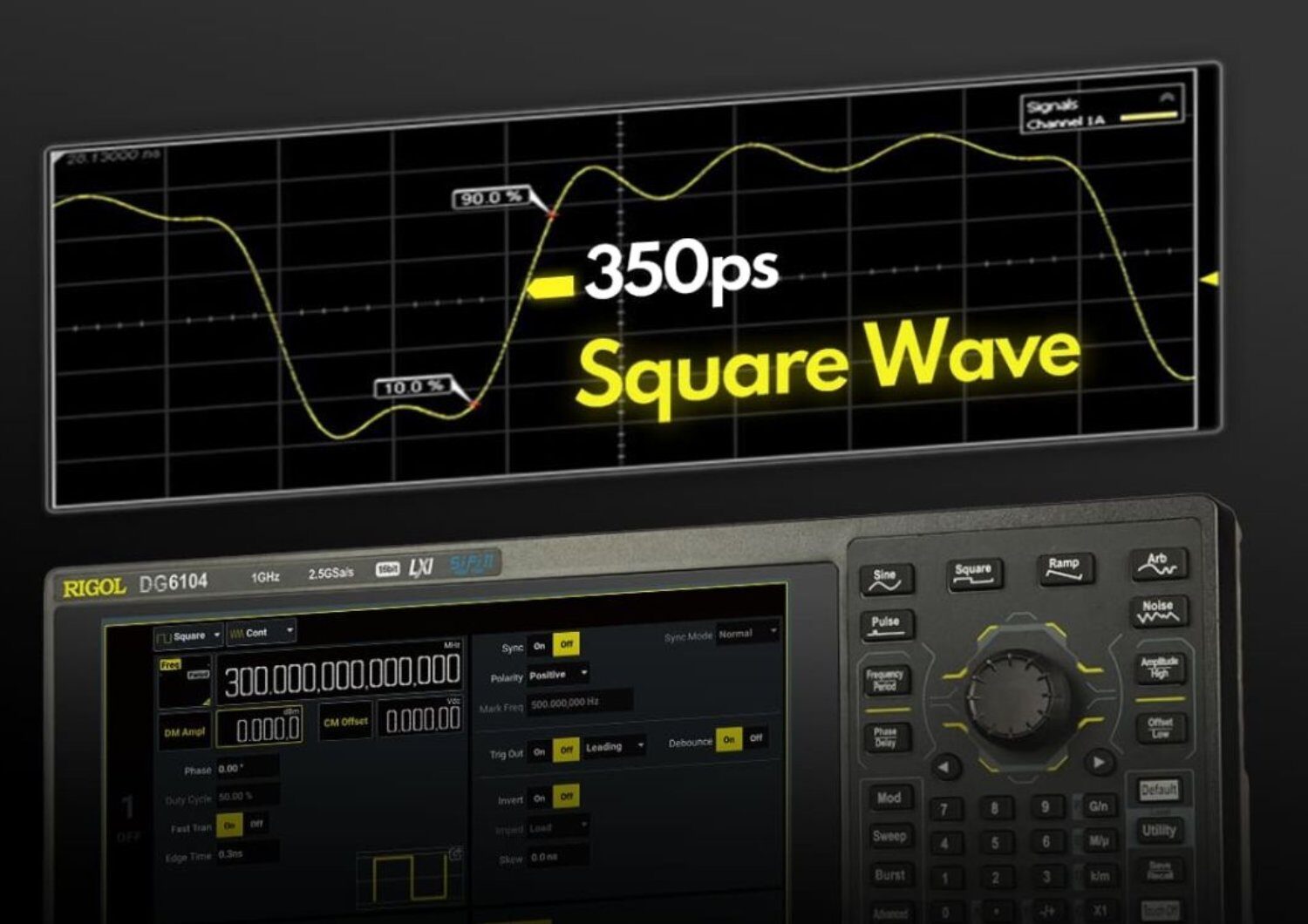
HBW

High Bandwidth – Differential

350 ps

Fast rise time in price class

Frequency

DC~1 GHz

Amplitude

0.4-2 Vpp (100Ω)

Isolation

Inter-Channel Full Isolation

Square Wave

300 MHz

Clock distribution • Digital timing • RF IF • LVDS stimulus

AMP

Amplified – High-Voltage Differential

20 Vpp

High-voltage differential direct drive

Frequency

DC~500 MHz

Amplitude

2 mVpp – 20 Vpp

Isolation

Inter-Channel Full Isolation

Offset

±9.999 V

SiC/GaN gate drive • Diff CMRR • MEMS actuation

SND

Single-Ended – Legacy Compatible ≈ DG5000 Pro Series

800 ps

Traditional single-ended fast edge

Frequency

DC~500 MHz

Amplitude

1 mVpp–10 Vpp (50Ω)

Isolation

Group (CH12 / CH34)

Channels

Up to 8 BNC

Legacy replacement • ATE production • General purpose


Product Specifications Table

Technical Specifications
ModelDG6052DG6054DG6102DG6104
No. of Channels2424
Output TypeSND/HBW/AMP
Max. Frequency500 MHz1 GHz
Max. Sample Rate2.5 GSa/s
Vertical Resolution16 bits
Waveform Memory Depth256 Mpts/CH (standard), 512 Mpts/CH (optional)
See the DG6000 Series

Leave a Comment

How to Shop:

Posted in News | Comments Off on Introducing the DG6000 Series Function/Arbitrary Waveform Generator!

End-Of-Year Test & Measurement Deals!

Posted on: December 9th, 2025 by Kane Brady
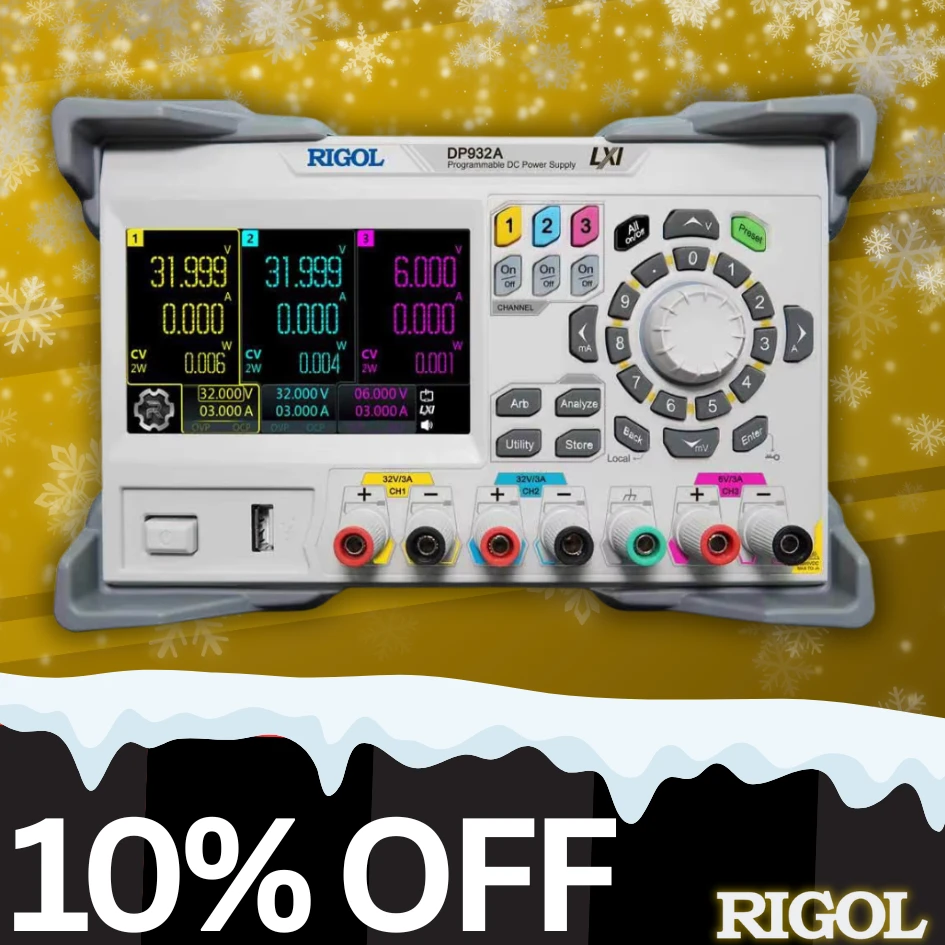
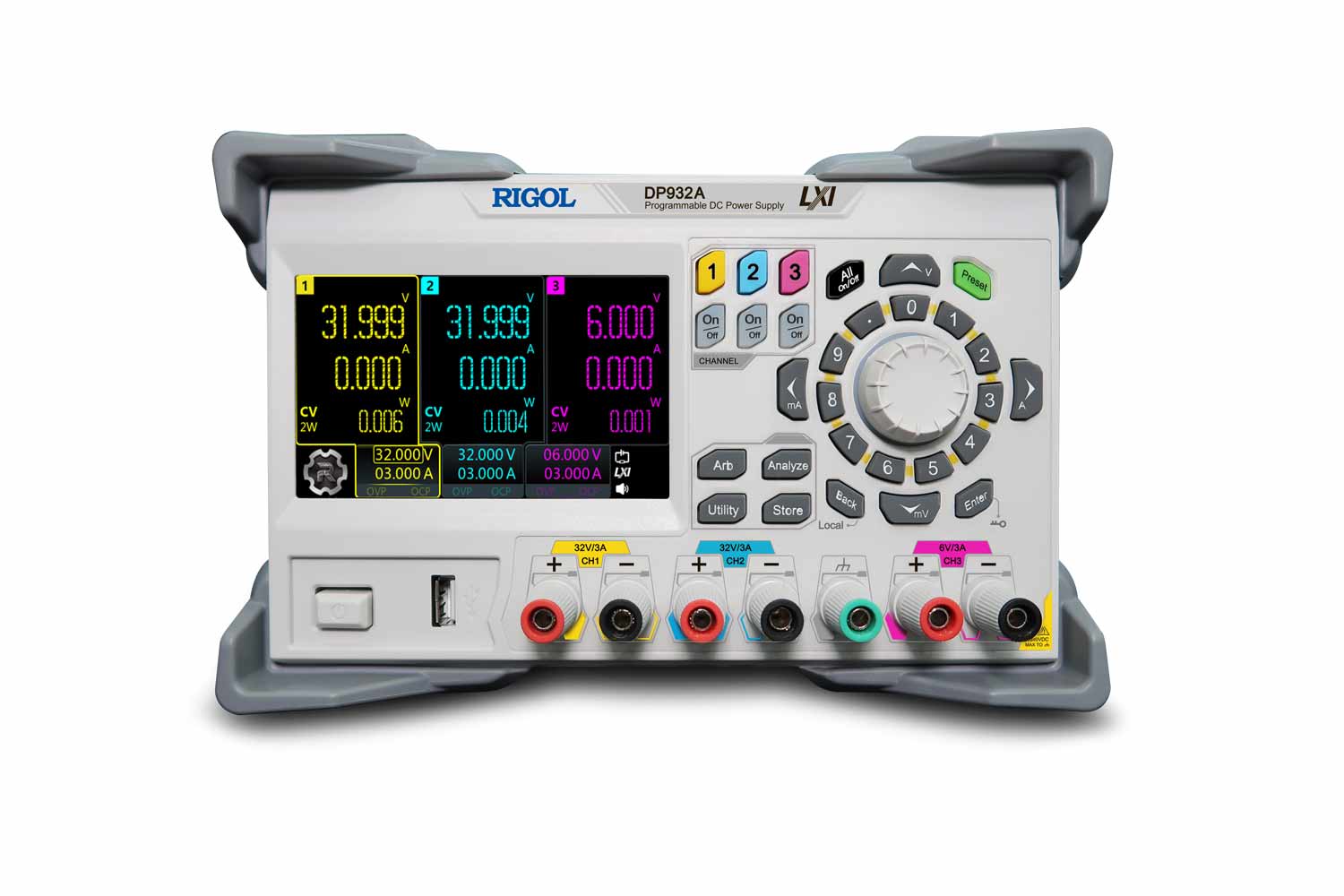
DP932E Linear DC Power Supply | 32V/3A, 32V/3A, 6V/3A, Triple Output
£344 £310
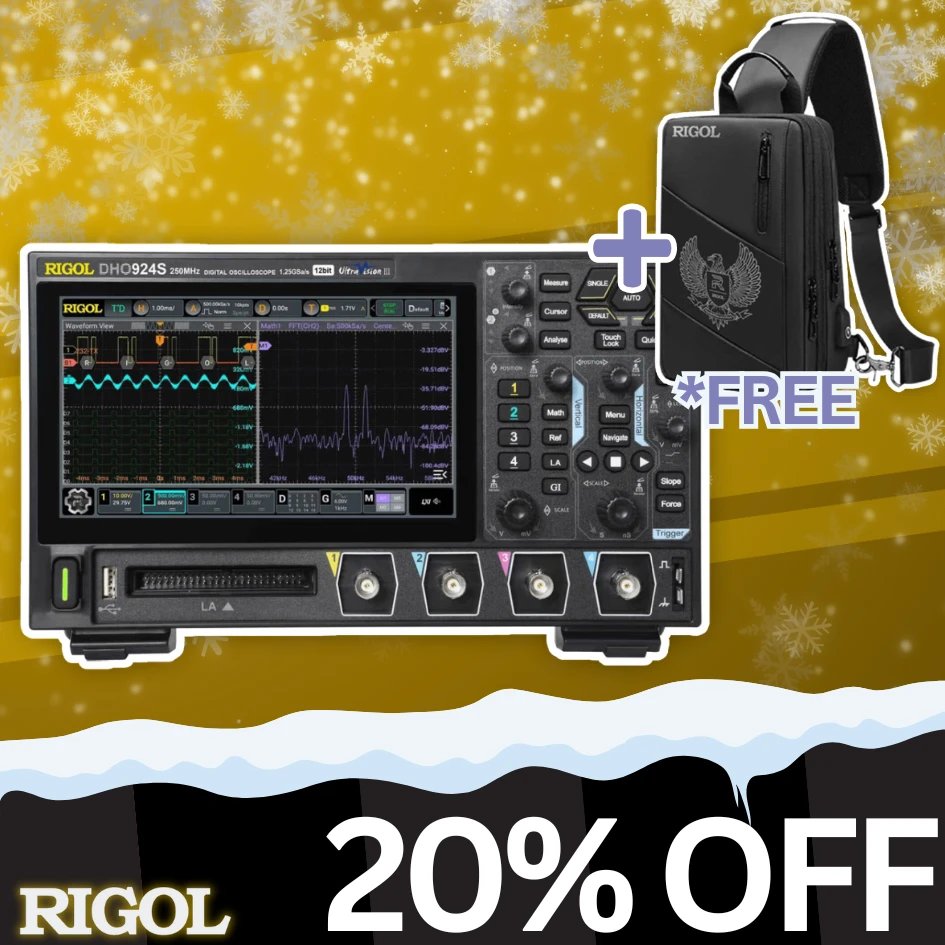
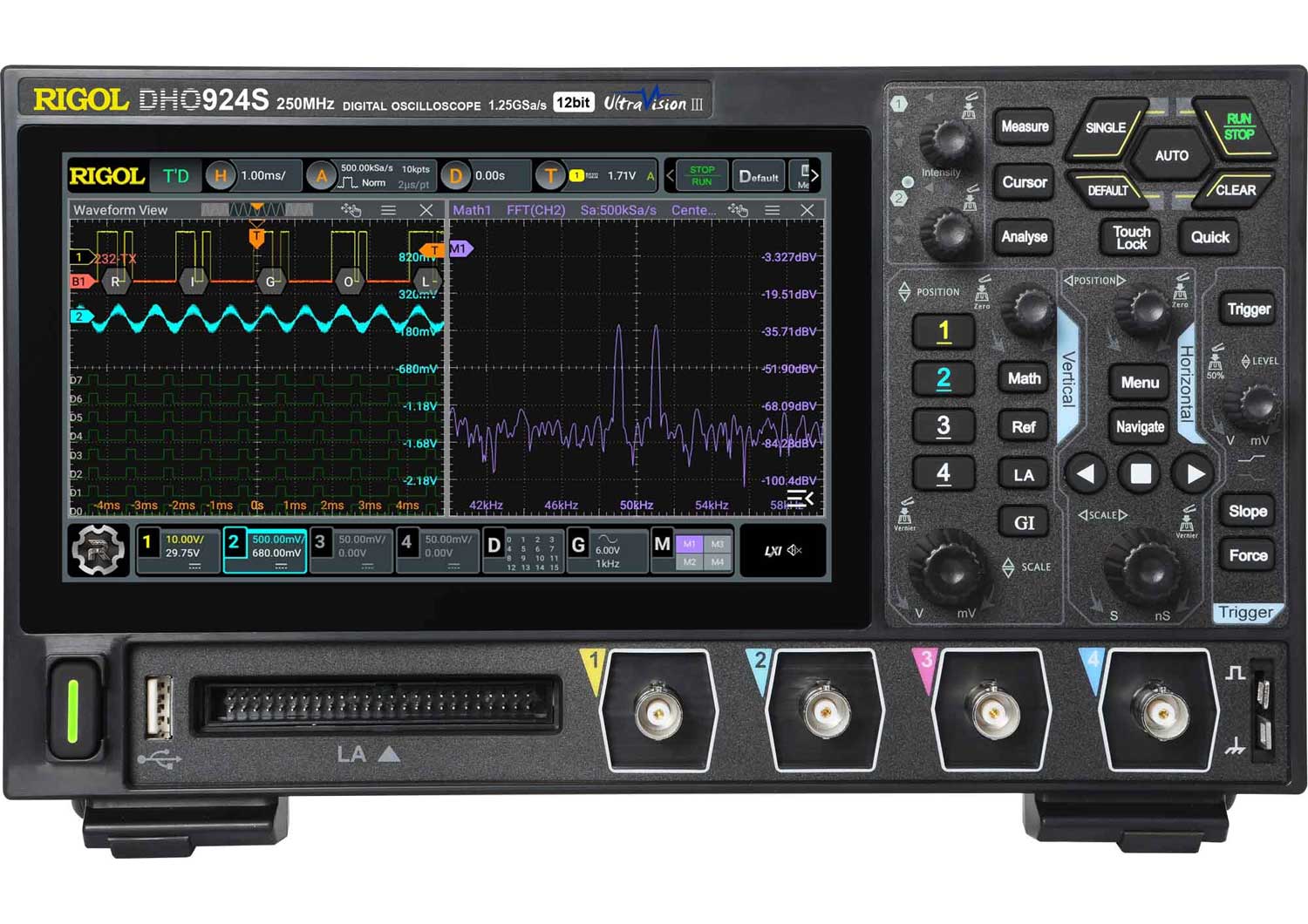
DHO924S Digital Oscilloscope | 12Bit, 250MHz, 1.25GSa/s
£622 £497
MHO954 Digital Oscilloscope | 12Bit, 500MHz, 4GSa/s
£784 £667
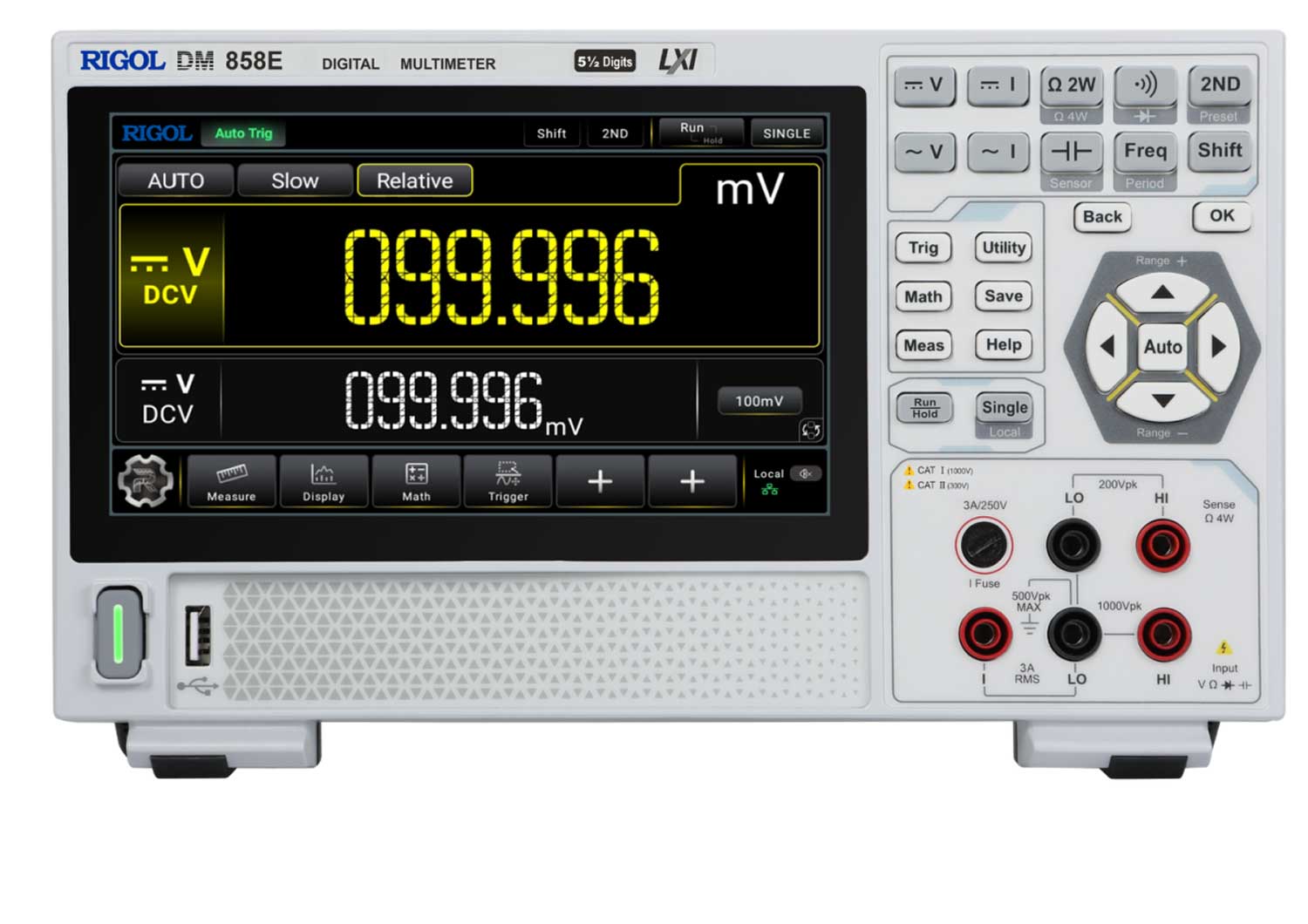
DM858E Digital Multimeter | 5½ Digit, 80 readings/s
£292 £263
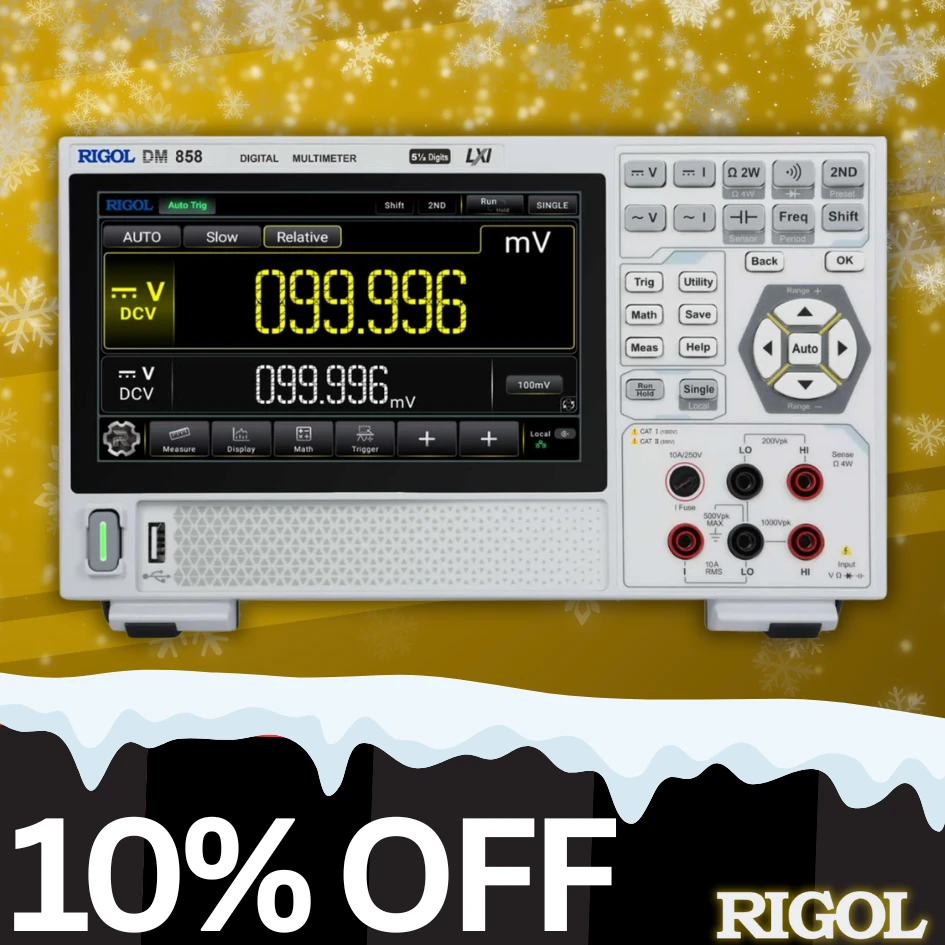
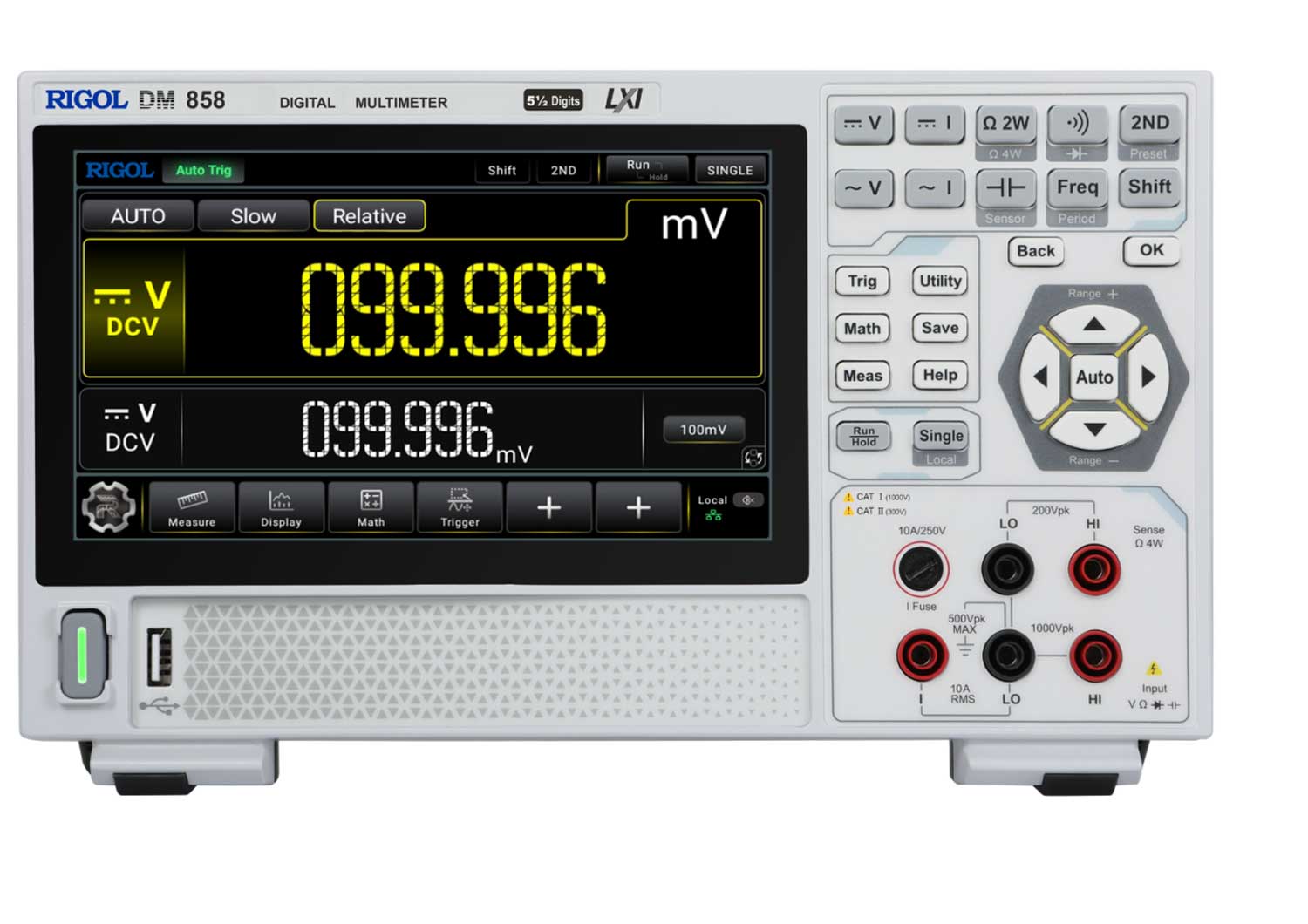
DM858 Digital Multimeter | 5½ Digit, 125 readings/s
£379 £303
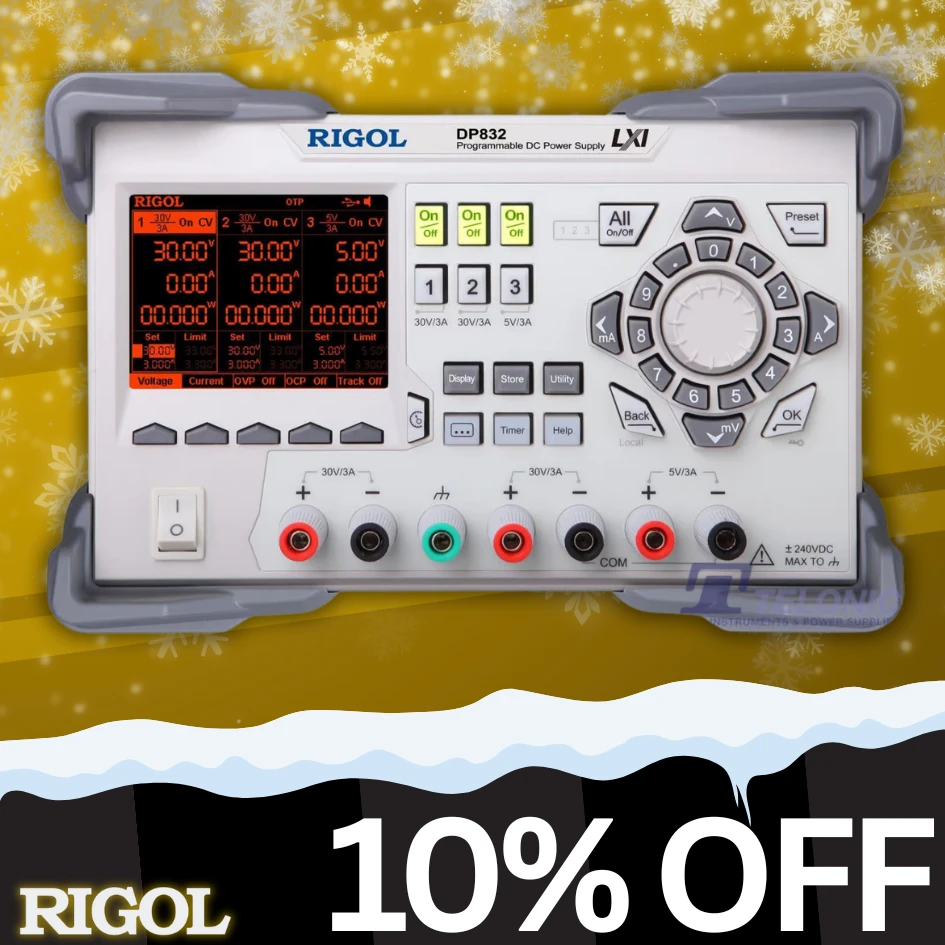
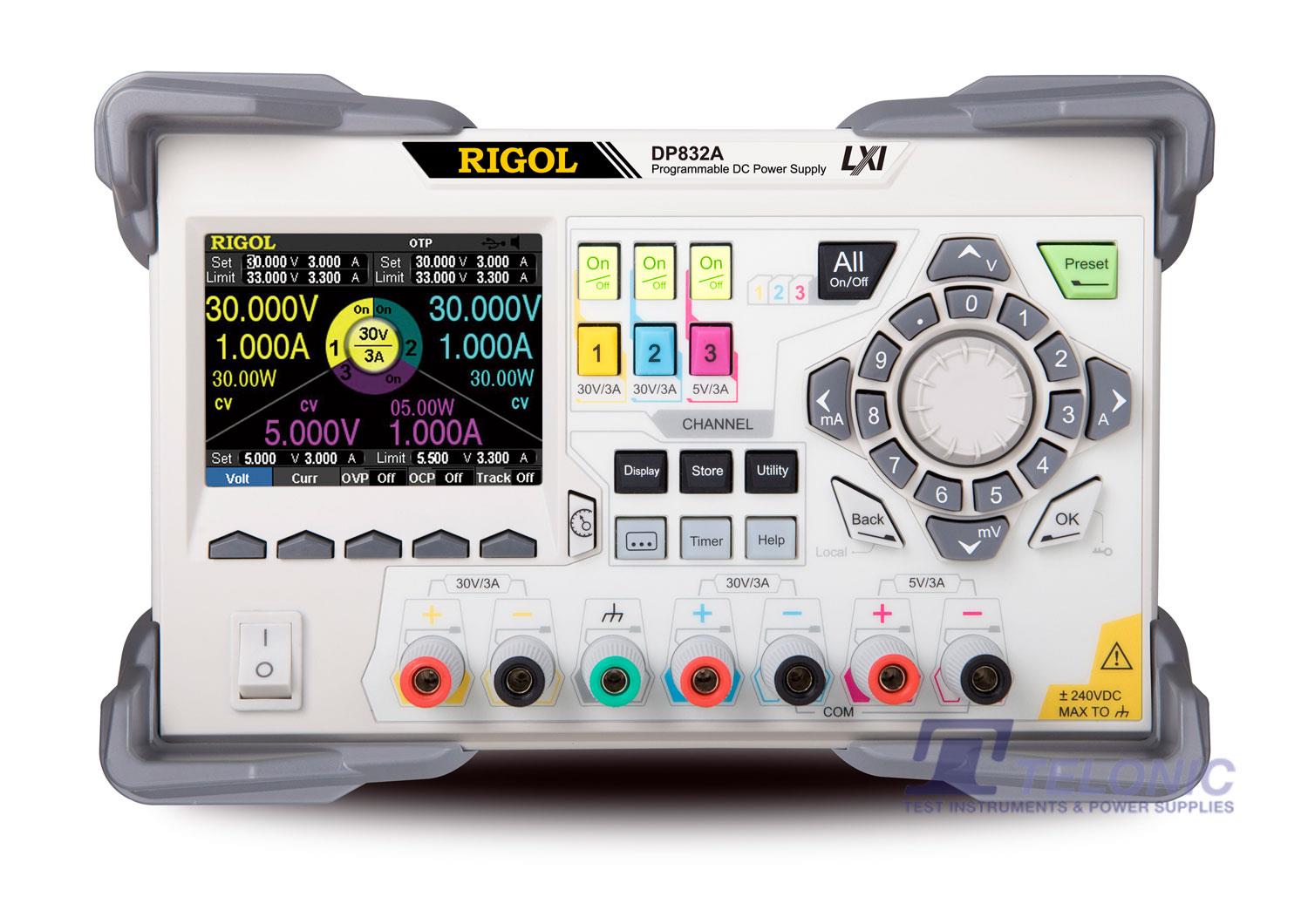
DP832 Linear DC Power Supply | 30V/3A, 30V/3A, 5V/3A
£311 £279
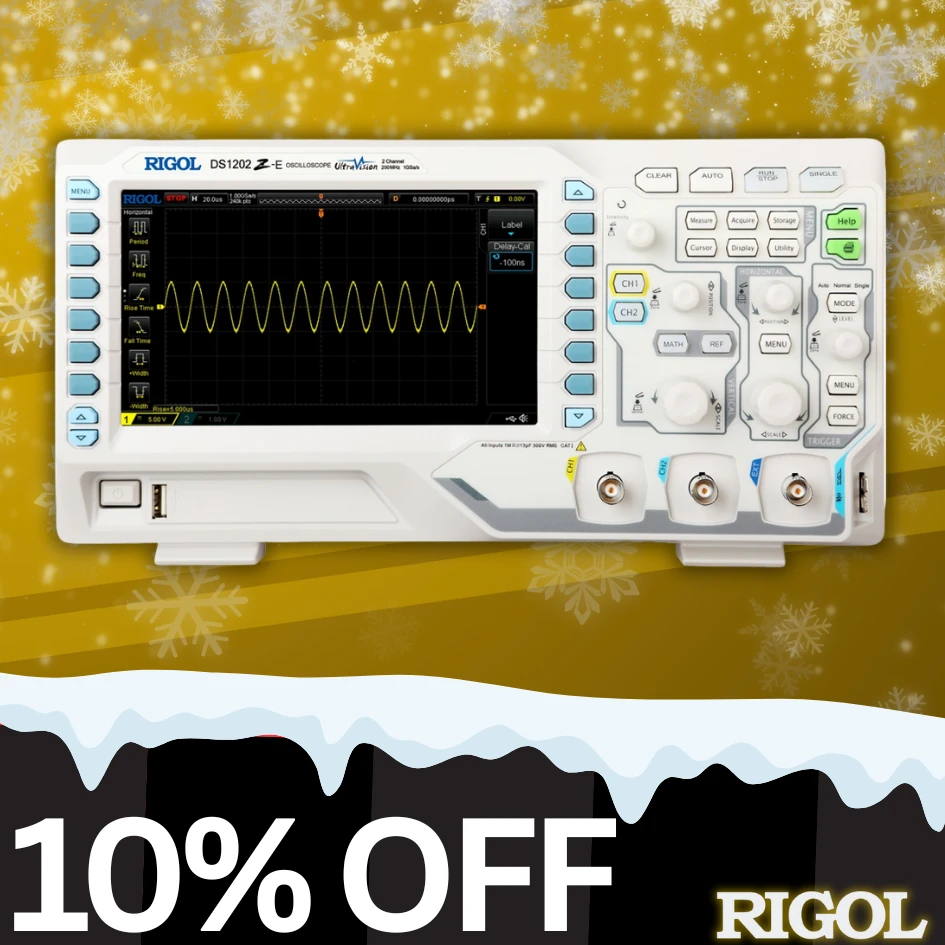
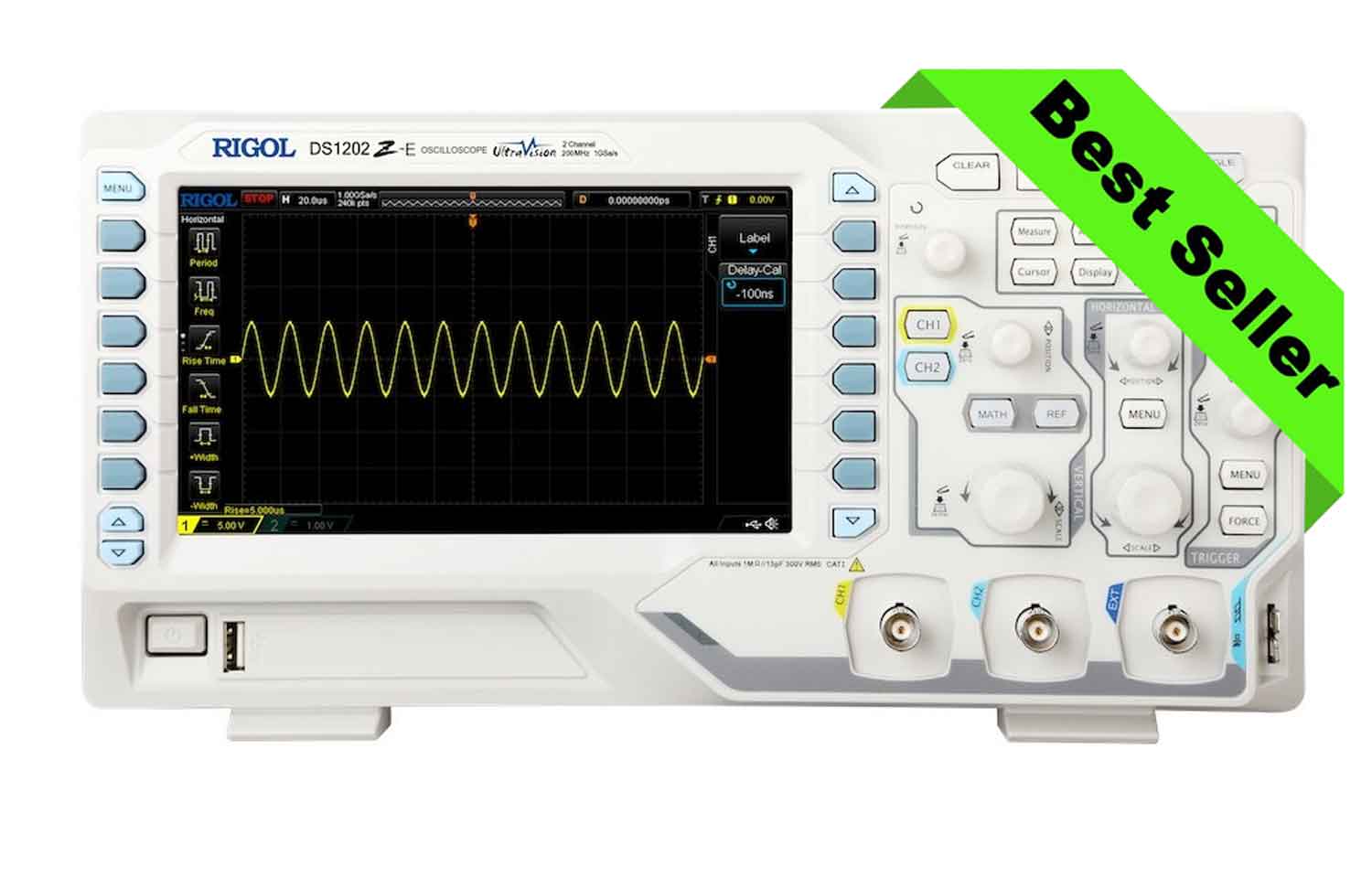
DS1102Z-E Digital Oscilloscope | 100MHz, 24Mpts, 1GSa/s
£194 £174.60
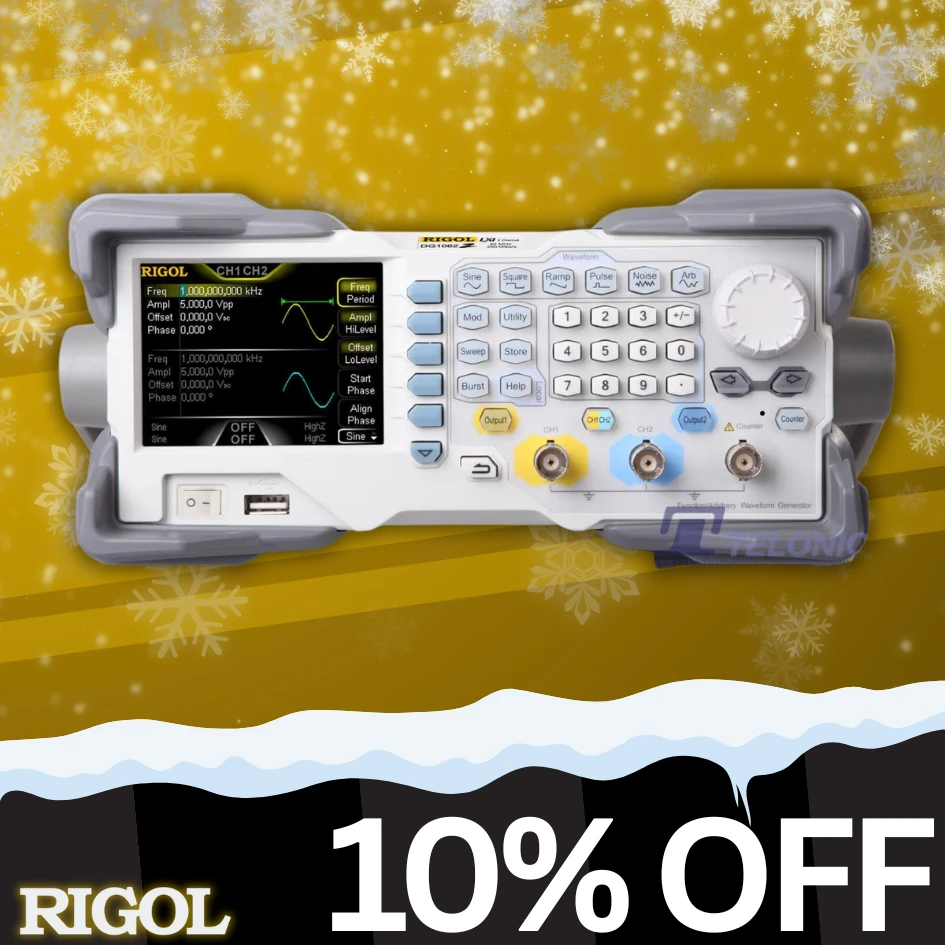
DG1022Z Function Generator / AWG | 25MHz, 100MSa/s
£259 £233
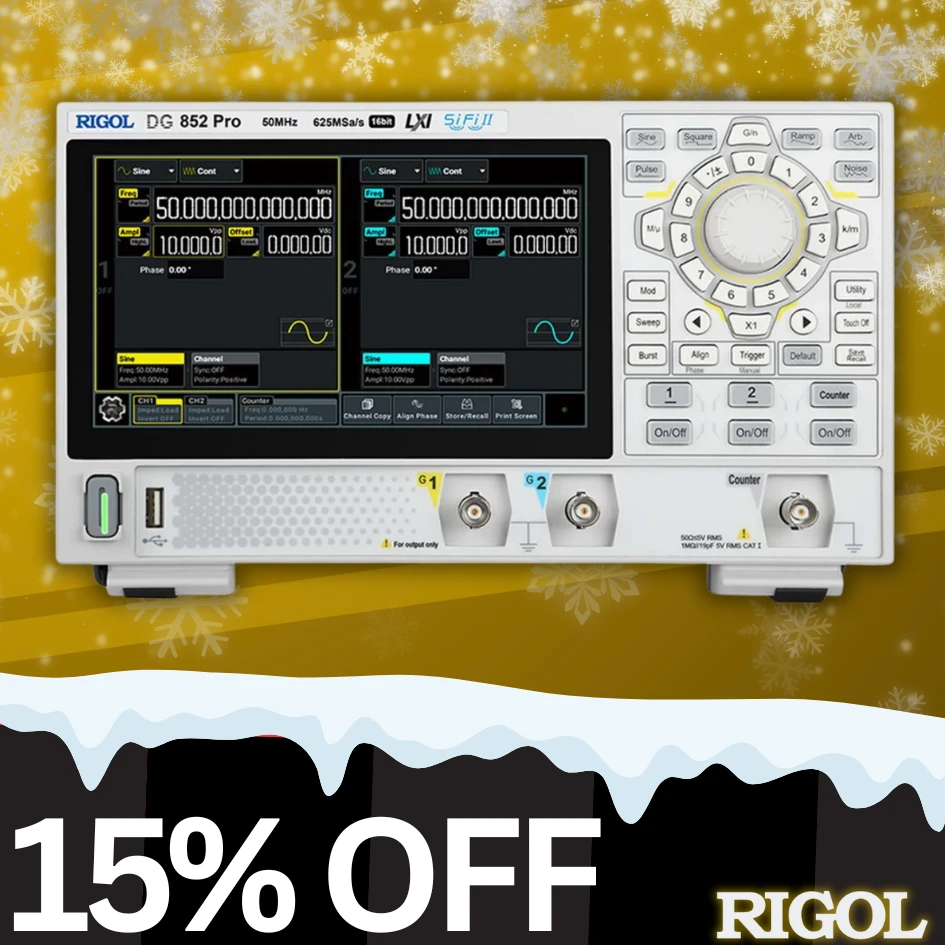
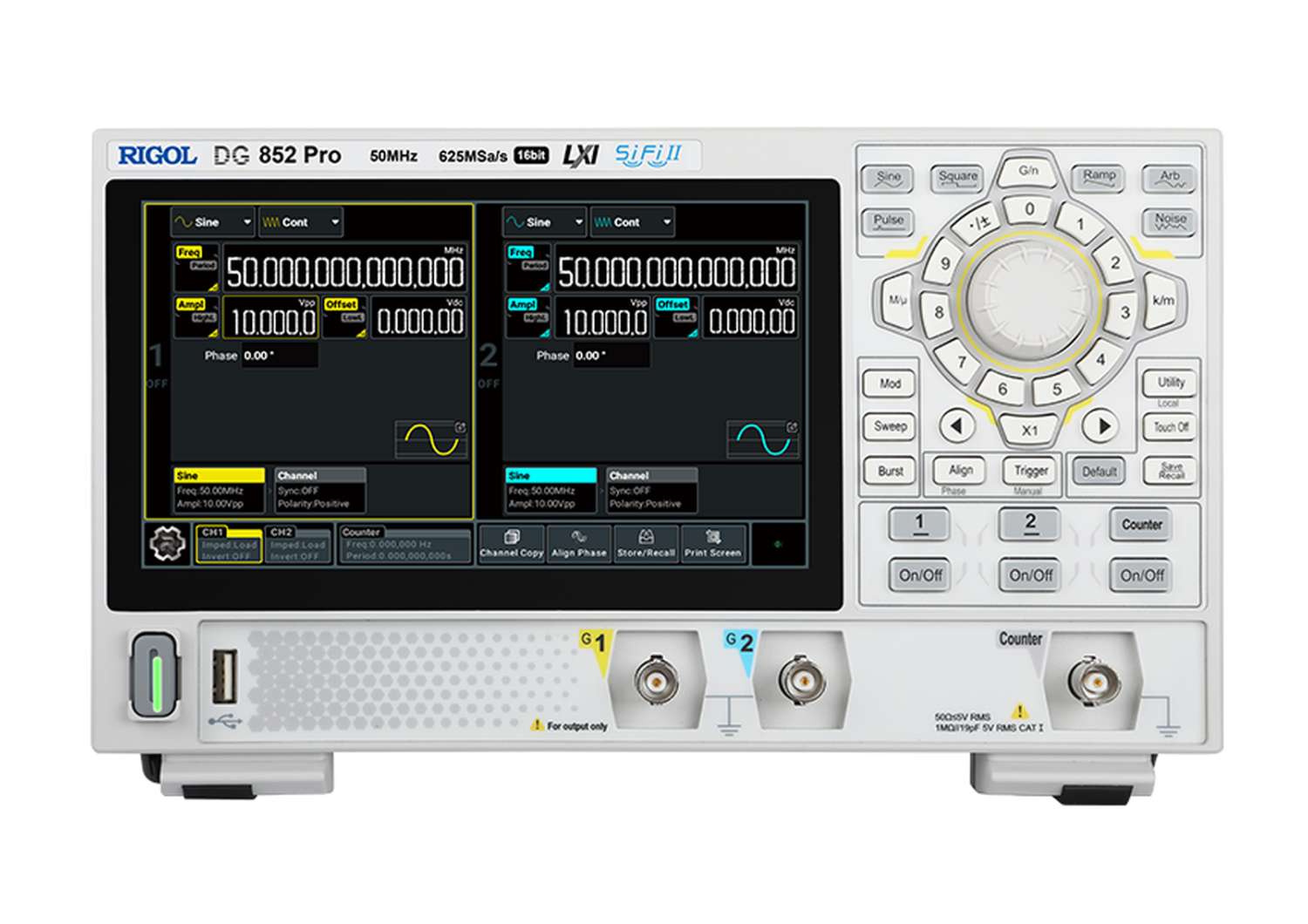
DG852 Pro Function Generator / AWG | 625MSa/s, 50MHz,
16-Bit
£405 £344
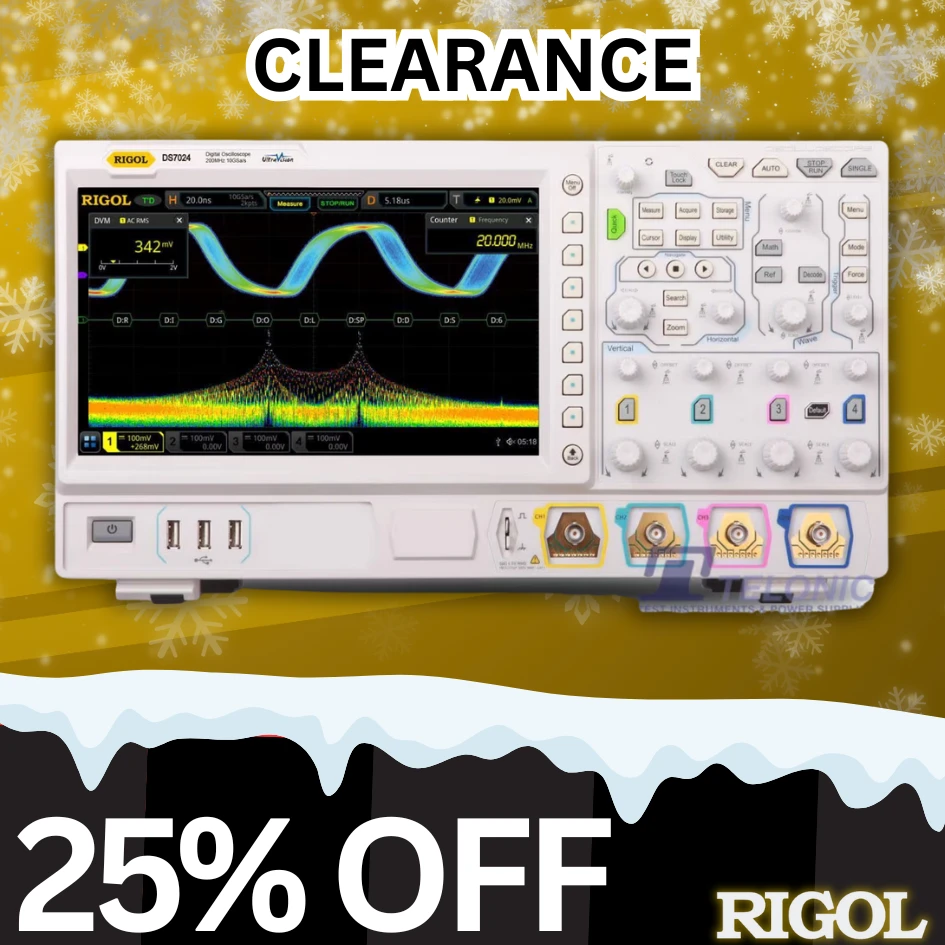
DS7024 Digital Oscilloscope | 10GSa/s, 140Mpts, 200MHz
£2527 £1895
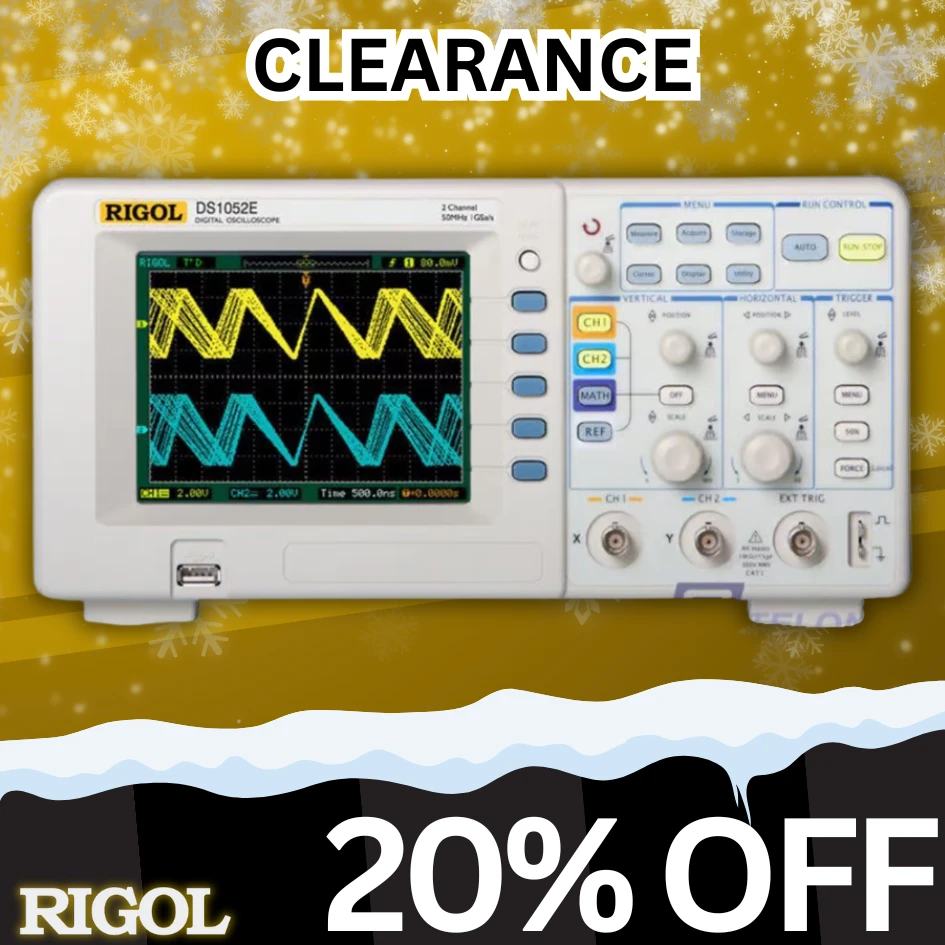
DS1052E Digital Oscilloscope | 50MHz, 1Mpts, 1GSa/s
£318 £229
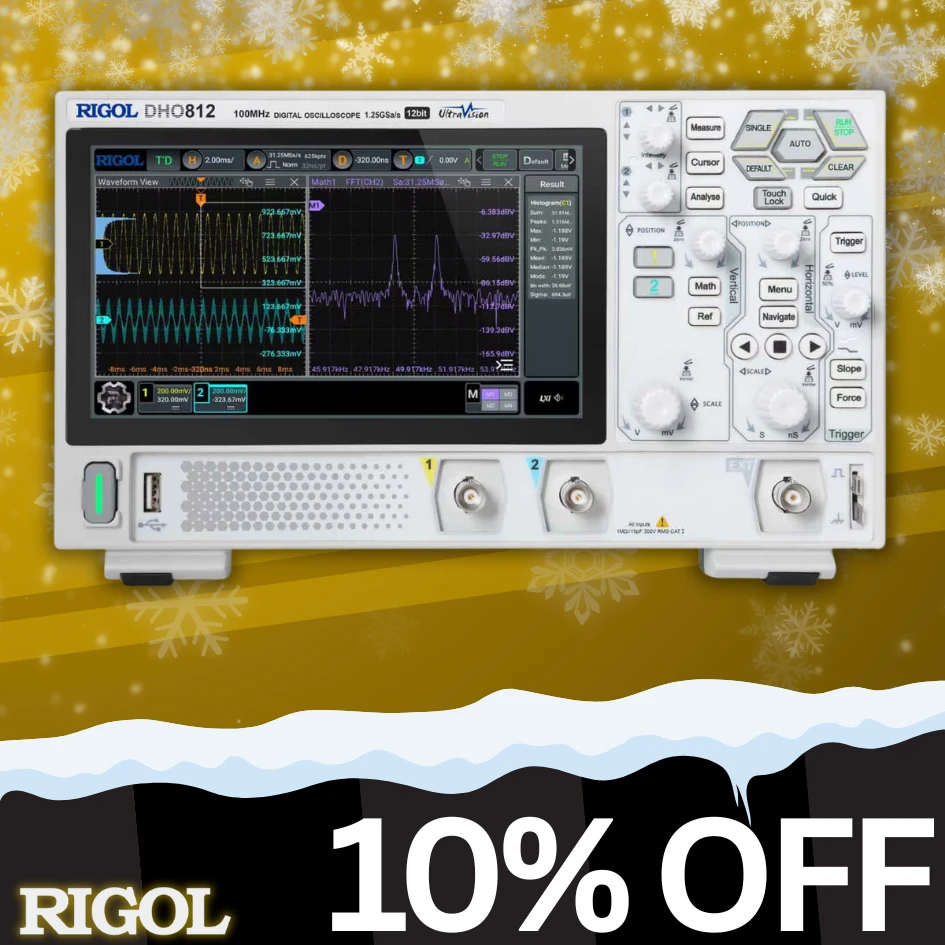
DHO812 Digital Oscilloscope | USB Powered, 12-Bit, 100MHz
£336 £302

Note* Prices are shown excluding VAT

How to Shop:

Posted in Special Offers | Comments Off on End-Of-Year Test & Measurement Deals!

Unlock EXCLUSIVE Test and Measurement Deals this BLACK FRIDAY

Posted on: November 24th, 2025 by Kane Brady

This Black Friday, Telonic is offering exclusive test-and-measurement deals across our most popular product categories.
From oscilloscopes and spectrum analysers to power supplies and signal generators, you’ll find precision-engineered equipment at unbeatable prices.

Browse the offers below and secure your savings while stocks last!

Unlock up to 12.5% OFF on the Telonic Store this BLACK FRIDAY!

NBLACK5%

Spend over £100 and save 5% with code NBLACK5%

NBLACK10%

Spend over £500 and save 10% with code NBLACK10%

NBLACK12-5%

Spend over £1000 and save 12.5% with code NBLACK12-5%

Explore our Store!

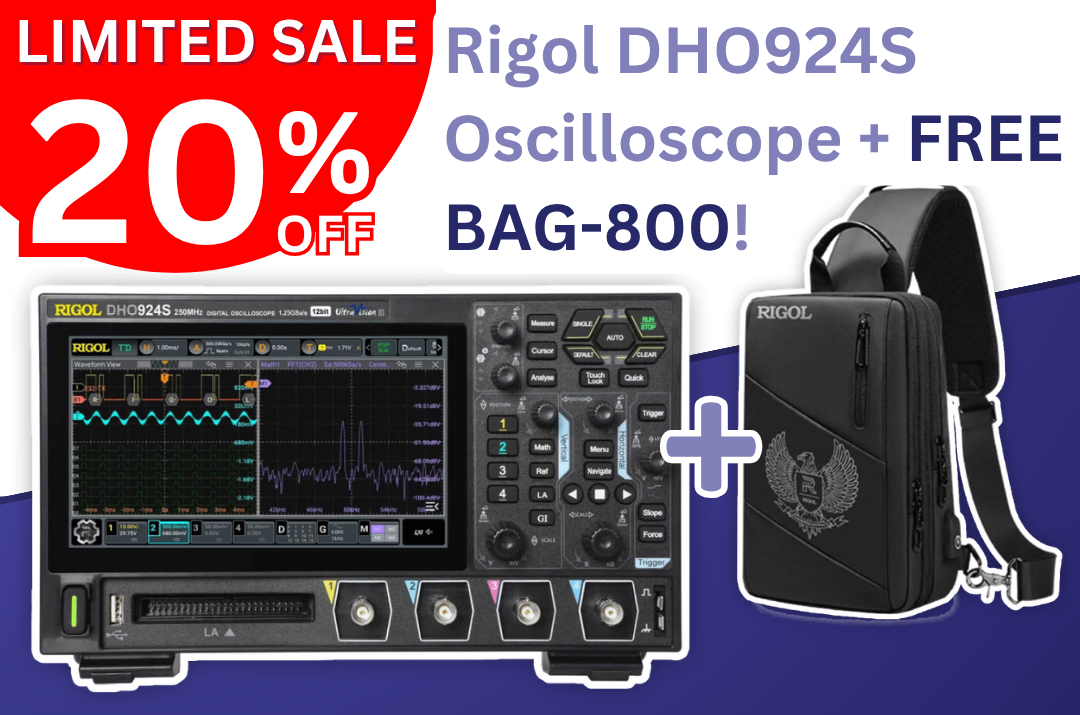
Unlock 20% OFF the Rigol DHO924S Digital Oscilloscope and recieve a FREE Carry Bag

We’re offering a 20% discount and a FREE BAG-800 rugged carry case to protect your investment.

Sieze the Opportunity!

These Deals are valid until the first of December 2025. Hurry! Time is running out!

RIGOL MHO98 special edition is excluded from the Black November 2025 promotion

Telonic reserves the right to interrupt the promotion linked to black friday at any time.

How to Shop:

Posted in Special Offers | Comments Off on Unlock EXCLUSIVE Test and Measurement Deals this BLACK FRIDAY

Rigol August Discounts in 2025!

Posted on: August 27th, 2025 by Kane Brady

🎉 Save £££ on Selected Rigol Instruments this month – Don’t miss out! Discounts run until 31st August at midnight!

DS1102Z-E Digital Oscilloscope

Rigol DHO804
  • UltraVision Technology
  • Deep Memory (24Mpts)
  • High Performance, (100MHz/1GSa/s)

£190 £171 (10% OFF) excl. VAT

View Product

DHO924S Digital Oscilloscope

Rigol DS1054Z
  • 12-Bit High Resolution
  • Ultra-Low Noise Floor
  • 1,000,000 wfms/s Capture Rate

£625 £562.50 (10% OFF) excl. VAT

View Product

DG852 Pro Function / Arbitrary Waveform Generator

Rigol DS1054Z
  • 625 MSa/s Sample Rate
  • 16-bit Vertical Resolution
  • 50MHz Max Output

£407 £345.95 (15% OFF) excl. VAT

View Product

DG912 Pro Function / Arbitrary Waveform Generator

Rigol DS1054Z
  • 1.25 GSa/s Sample Rate
  • 150 MHz Output Frequency
  • 32 Mpts/CH Waveform Length

£729 £620 (15% OFF) excl. VAT

View Product

DM858 Digital Bench Multimeter

Rigol DS1054Z
  • 5.5-Digit Resolution
  • 500,000 Points Memory
  • 7″ Touch Screen

£381 £324 (15% OFF) excl. VAT

View Product

DM858E Digital Bench Multimeter

Rigol DS1054Z
  • 125 readings/s Max Rate
  • 5.5-Digit Resolution
  • 7″ Touch Screen

£294 £265 (10% OFF) excl. VAT

View Product

DP932A Linear DC Power Supply

Rigol DS1054Z
  • 3 Isolated Channels (210W Total)
  • Internal Series/Parallel Connections
  • High-Speed Arb Function (<100ms Dwell)

£486 £437.40 (10% OFF) excl. VAT

View Product

DP832A Linear DC Power Supply

Rigol DS1054Z
  • Triple Output (30V/3A, 30V/3A, 5V/3A)
  • Low Ripple and Noise
  • Fast Transient Response (<50µs)

£433 £389.70 (10% OFF) excl. VAT

View Product

How to Shop:

Posted in Special Offers | Comments Off on Rigol August Discounts in 2025!

VNA Measurements Application Note

Posted on: August 20th, 2021 by James

Basic measurements with a Vector Network Analyser
In our wireless world the need of RF component testing is one of a key factors to bring a product to market. Devices are getting smaller and are containing more and more complex components. It is a must to have knowledge of complex impedance (or admittance) and reflection / transmission parameters to bring the most optimum functionality to the RF device. RF components like filters, resonators, etc. can be calculated according to capacitance and inductive values. Software simulators can take these values and help fine tune the design. But at the end of the day, the quality and performance needs to be measured. For several applications, a scalar network analyser might be adequate but for some specific design work phase information is required. A vector network analyser [VNA] has the possibility to measure amplitude and phase over specified frequency range.
The vector network analysis allows for the measurement of complex scattering parameter [Sxx] of a device under test [DUT] over a specified frequency range. Vector network analysis allows for the characterisation of a scattered matrix with reflection [S11] and transmission [S21] factors. These parameters are required to design e.g. a matching circuit for an amplifier. With phase information it is also possible to calculate the time range where additional failures at different positions can be analysed. Due to the complex (vector) characteristic it possible to make an accurate correction with calibration routines.
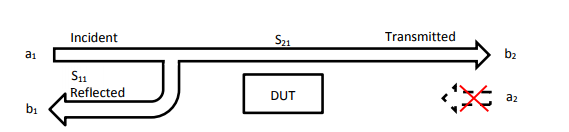
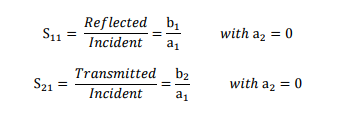
RIGOL’s VNA solution in RSA5000N and RSA3000N [RSAxN] series can perform three different measurements these include reflection [S11], transmission [S21] and Distance-To-Fault [DTF] measurements. All three of these measurements have several different views which allows engineers to easily determine a DUT’s frequency response, phase, SWR, Smith Charts and Polar Plane measurements. In figure 1 the principle of S-Parameter measurement is visible. These parameters can be calculated with the complex factors ax and bx. For example, a1 refers to the incident wave into the DUT and b1 refers to the reflected wave. The transmitted factor after DUT is referring to b2. At RSAxN version an incident wave can only be generated by port 1. Therefore, a2 is 0.
The principle of S Parameter Measurement in a network:


S11 Measurements
The reflection measurement is an important key to specifying the performance of complex systems (e.g. wireless communication system) Reflection factor r describes the ratio of incident and the reflected wave. There are several different tools that can be used to perform this measurement but one of the most useful tools is the Smith Chart because it contains the most information, like:
• Complex impedance and tools to determine how to match the (compensation of inductive / capacitive reactance)
• Complex reflection factor
• Impact of real / capacitance or inductive
• Influence of frequency range and displaying frequency response
• Q Factor of RF components
• Influence of the cable length
• Determination of cable loss
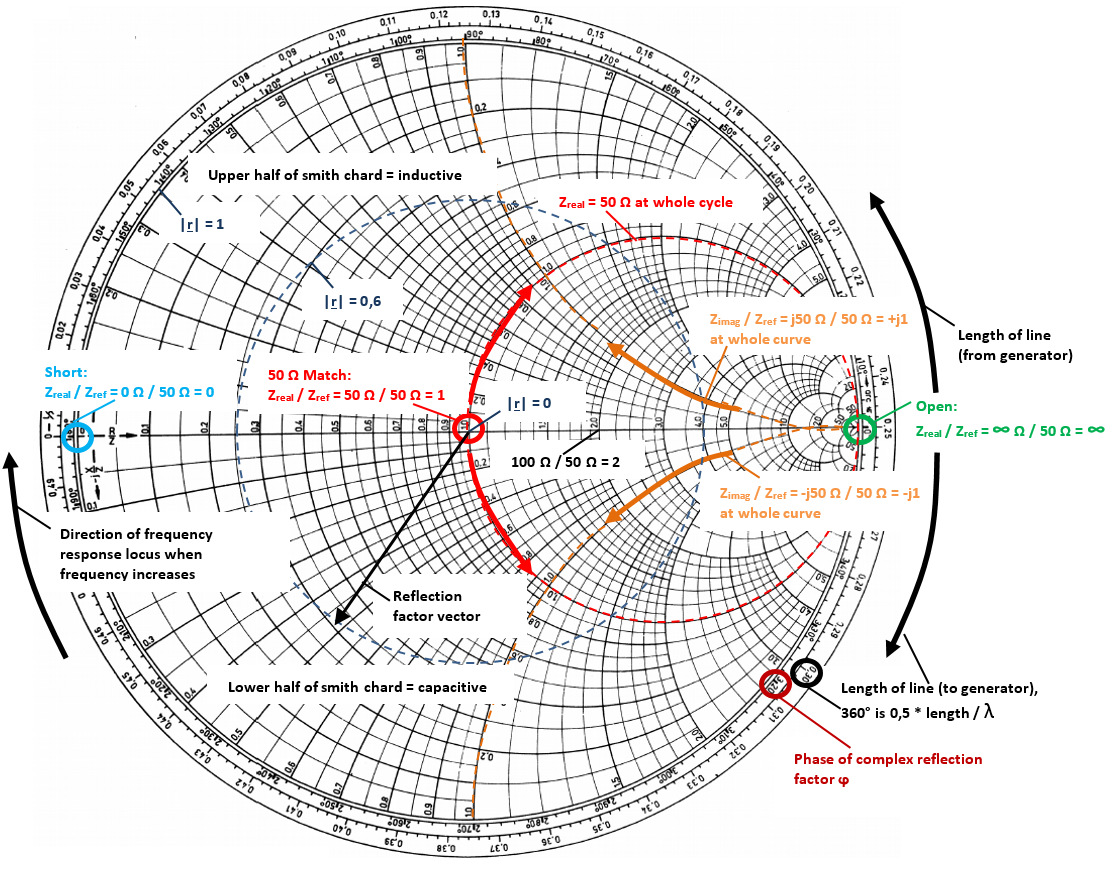
In RSAxN the Smith Chart can display impedance [Ω] (components in series) or admittance area [1/ Ω] (parallel connection of components). A universal Smith Chart is visible in figure 2. “Universal” means it can be used for each system impedance. In this example a 50 Ω reference is used (which can be modified to a different impedance, like 75 Ω if required). The reference is used to center the chart for better visualisation. A complex impedance of Z = 50 Ω + j25 Ω is transformed with that reference into 1 + j0,5 to make manual calculations easier. But in the end the calculation for real complex impedance has to be done after the measurement has been finalised. In RSAxN it is possible to measure the transformed values via a marker and display impedance value (in the example above: 50 Ω + j25 Ω).
Taking into consideration to have a serial connection of impedance, capacitance and inductivity, the impedance is calculated as follow:

In this formula it is visible that the inductive imaginary component is positive and capacitive imaginary component is negative. The lower half of Smith Chart is referring to capacitance and upper half is referring to inductance. On the outer diameter of Smith Chart, the length of line referring to Wavelength λ is displayed. On the Smith Chart it is visible that a turn of 360° results into 0.5 x l/λ. The second value which is visible on the outer diameter is the angle ϕ of a complex reflection factor r. There is a 100% reflection of incident wave with either an Open termination (right side of the chart; when the real and imaginary impedances are close to ∞ Ω) or with a Short termination (left side of the chart; when these impedances are closed to 0 Ω). In the center of Smith Chart the impedance of 50 Ω is visible. It is possible to measure out the complex reflection factor in Smith Chart, but it is easier to use a marker in the Polar Plane in RSAxN to get this value.

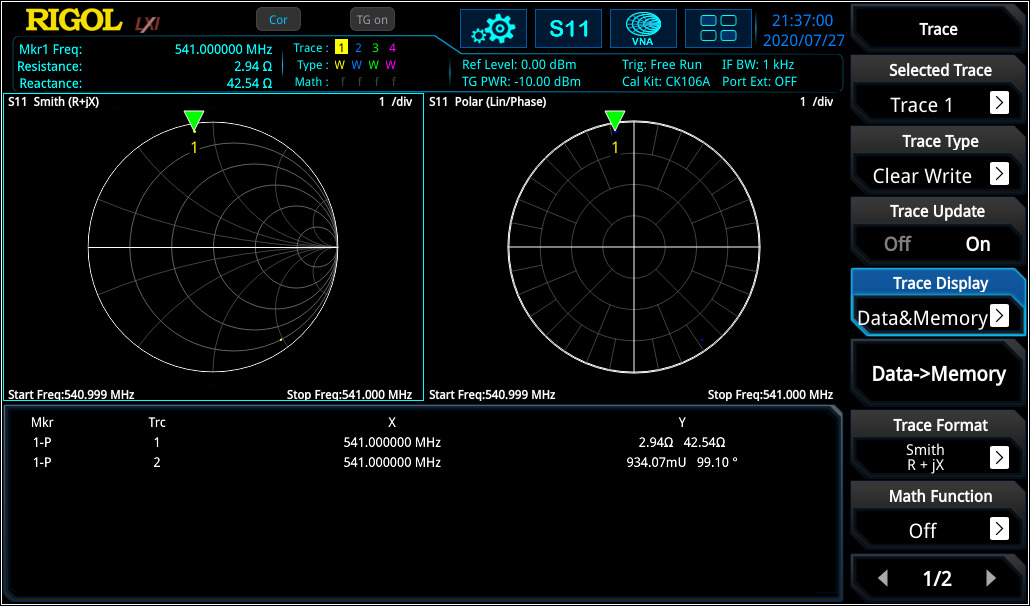
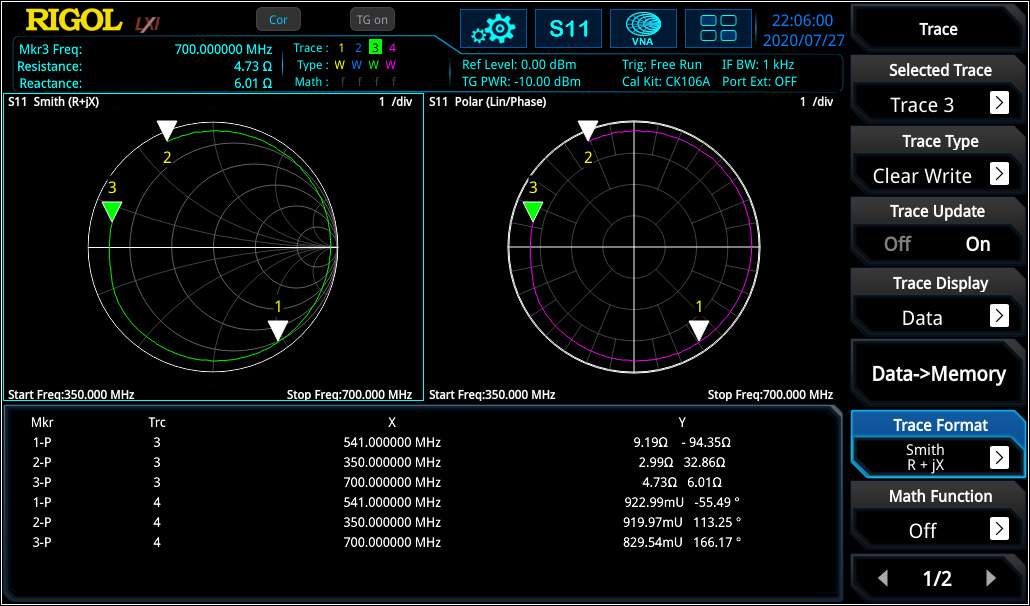
The Smith Chart and Polar Plane are useful tools to analyse complex impedance and reflection factor on a network for a specific frequency range. In figure 3 the capacitance in series with a resistor was measured at 541 MHz. The same configuration was measured again with a cable at ~16 cm. In this example it is visible that the impedance position is changing when using an additional cable at a specific frequency. The reflection factor remains very close to the origin point (cable has attenuation which has for this measurement a very small influence. As higher the cable attenuation, the more their has influence).

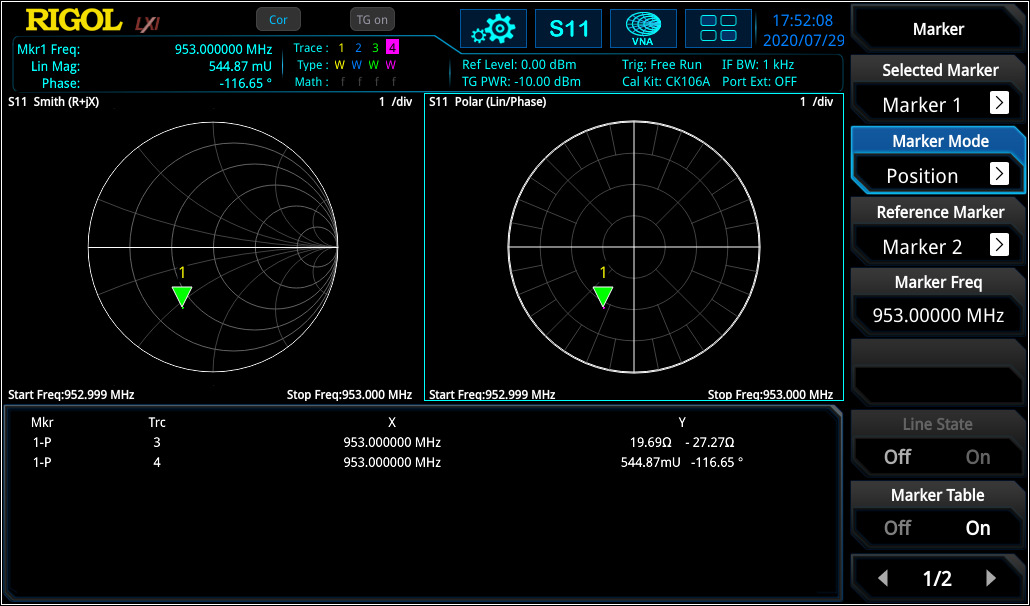
The marker on the Smith Chart calculates the correct impedance when using the reference of 50 Ω. Then the same configuration was tested again without the additional cable over a different frequency range (see figure 4).

In this measurement the frequency response curve is visible for the adjusted frequency range. With the marker it is visible that the curve is moving clockwise with increasing frequency. In RSAxN version different intermediate frequency bandwidth [IF BW] can be used for testing (1 kHz to 10 MHz in 1-3-1 steps) to realise the frequency resolution as required.
For complex networks one of the top uses is of the impedance to the network (here: to realise 50 Ω at network input) at the required center frequency. Different possibilities can be used in which can be shown on the Smith Chart.

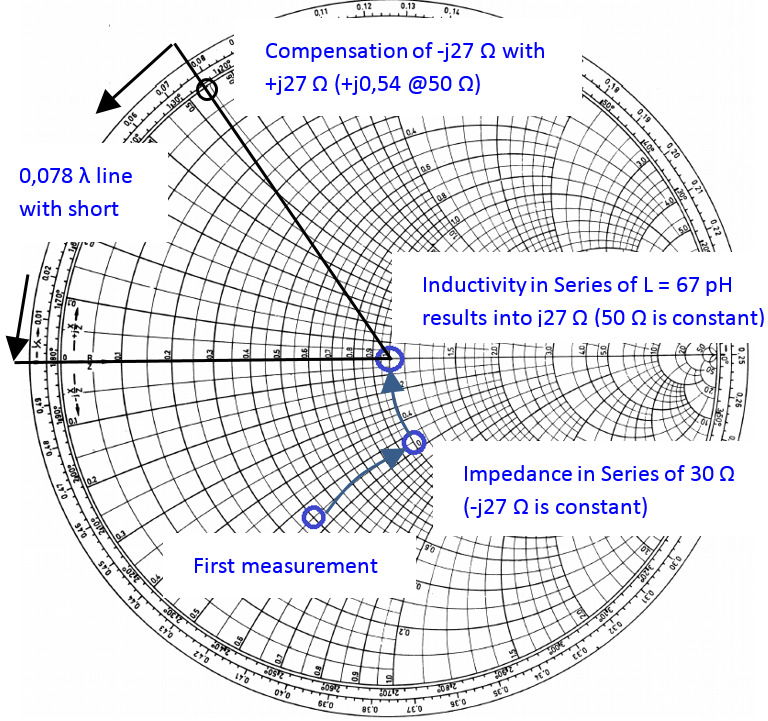
First, with a series impedance of 20 Ohm can be set to 50 Ohm. As a next step an inductive component in series could be used to bring the impedance level to 50 Ω without an imaginary component (see figure 5). The problem of this theory is that the inductive component (in this case: 67 pH) is very small and hard to realise. Discrete inductive or capacitive elements can only be used for maximum frequency of several 100 MHz. For higher frequency ranges, different methods (e.g. microstrip solutions) needs to be used. One of the approaches might be using a serial 50 Ω stub to compensate the -j27 Ω (length of stub with short: l = 0,078 λ, with open: l = 0,328 λ). For the stub, the dielectric constant is required to evaluate the correct wavelength.
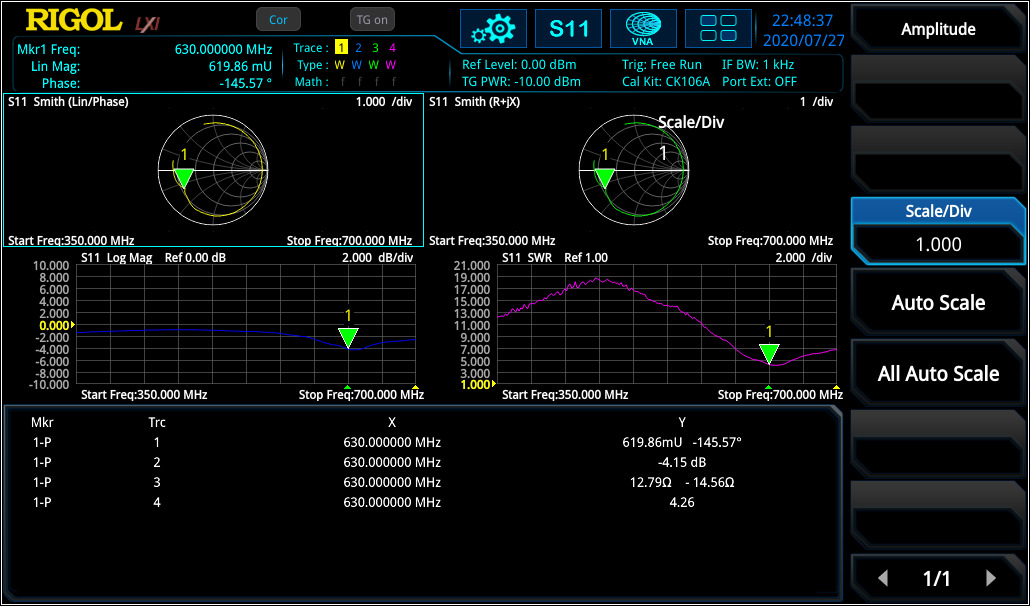
For S11 it is also possible to display return loss and (voltage) standing wave ratio [(V)SWR] over frequency range. If “V” is used, then the ratio is defined to voltage level of a standing wave at a line.
VSWR is referring to the maximum and minimum voltage values that is being transmitted and reflected by the component. The difference to reflection factor is, that there is no relation to phase.

For deeper analysis it is often necessary to use logarithmic values to have a deeper view of smaller modification compare to bigger values. In RSAxN it is also possible to display the return loss value ardB in log scale over the frequency range.

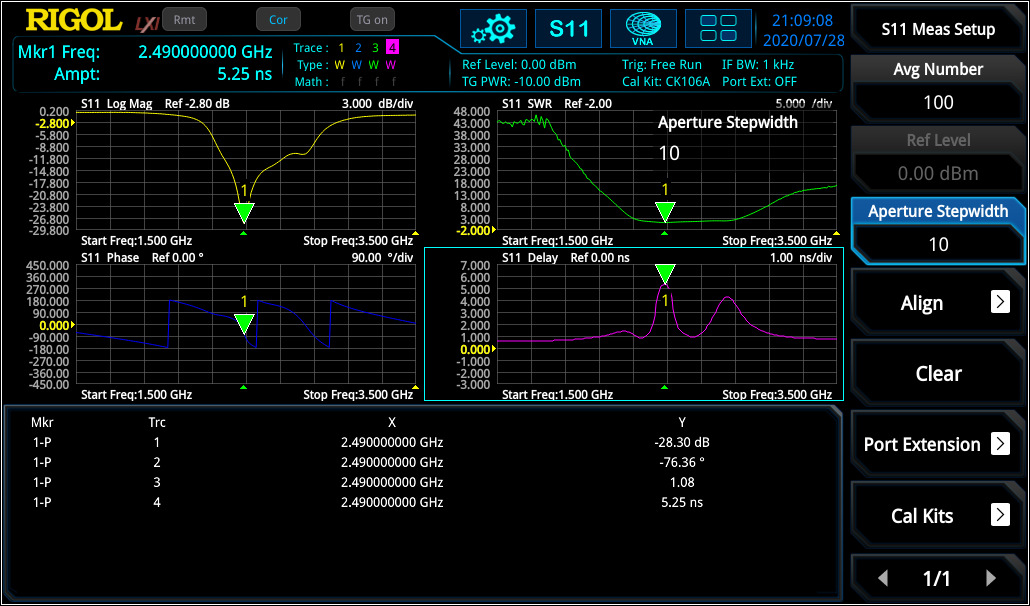
Linear distortion occurs in all linear networks and components. Linear distortion could have an impact deviation in phase, in amplitude and / or in a constant group delay. When measuring a filter with the RSAxN, it is possible to measure amplitude flatness, the deviation in phase and group delay (Group delay is a deviation from linear phase). Thereby the VNA using phase over frequency and adds it to a positive constant phase over frequency. The difference of both results is the phase deviation over frequency and the group delay is calculated as follow:

Each signal will be delayed with transmission over a component like a filter, amplifier, etc. different group delay results in a non-linear delay of signals at different frequency components and distorts the signal, which is not ideal and not desired. If the group delay is constant over the frequency range, all frequency components will have the same shift and, in that case, the ideal system would be free of distortion and the group delay would be a constant value. The aperture step width [df] can be adjusted in RSAxN according to their need. In S11 (and S21) measurement of RSAxN, phase and group delay can be measured and displayed over the desired frequency range (see figure 7).

S21 Parameter Measurements
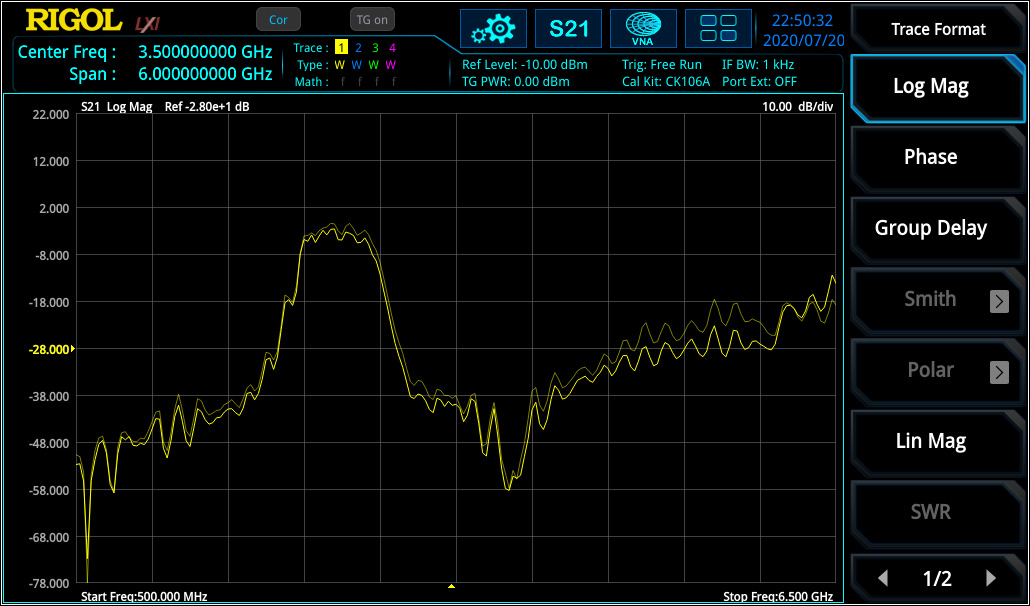
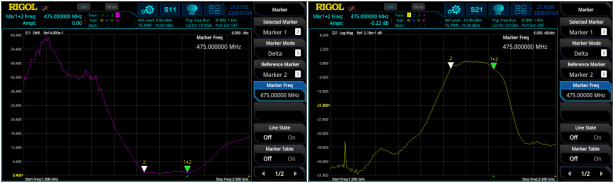
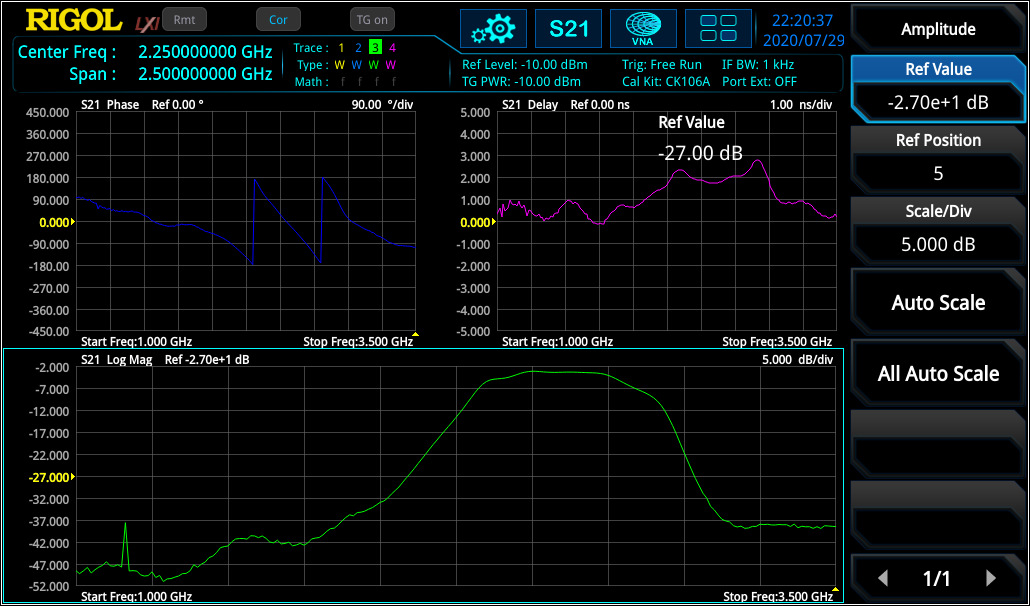
S21 parameter defines the insertion loss over a specified frequency range which can be measured with high accuracy after a Through calibration. The measurement of frequency response can be used to measure the 3 dB bandwidth of a bandpass filter (see figure 8) or characterise amplifiers.

Similar to S11 measurement, also phase over frequency range and group delay can be measured with RSAxN (see figure 9).

Distance-to-Fault Parameter Measurements
In RF measurement normally frequency range will be selected because it has more significance in characterisation in this area. For example, a filter will be characterised in frequency range. But for some cases it is very useful to take also a look into the time range to evaluate impulse response of a DUT.
One big advantage when phase information is available is, that the frequency range can be transformed (via Inverse Fast Fourier Transformation [IFFT]) into time. The time view has different advantages, it can be used to localise a defect on cables due to measurement of impulse response, localisation and characterisation of discontinuities or getting a better view of physical characteristic of a DUT. In the formula below it is visible that S11(t) is the impulse response of reflection factor S11(ω):

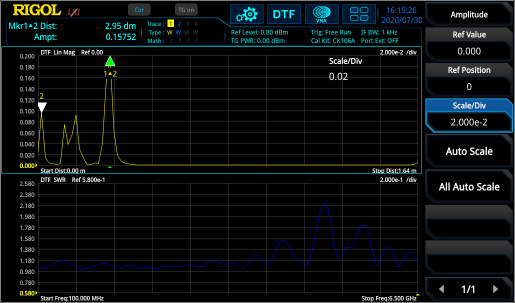
Figure 10 shows the frequency range (S11) and DTF measurement of a DUT (two cables with connectors in between and a 50 Ω match at the end). In the frequency range, the discontinuities can only be captured in summary. But in DTF the reflection points are easily visible and can the exact distance of reflection points (e.g. due to connectors or cable defects) can be measured with marker. It is necessary to perform the same calibration like for S11 measurement.

Calibration
One important part of accurate measurements is the calibration procedure. Each measurement contains different failure mechanisms, with calibration routines these can be minimized, and the quality of measurement accuracy can be increased.
S11 / DTF Calibration:
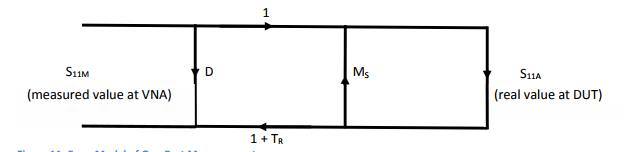
D = Directive Error: coming from imperfect signal split of coupler.
MS = Source Match Error: coming from imperfect source matching of VNA
TR = Tracking Error: coming from frequency response of components used for signal split (like directive coupler) and mixer and internal detector.
Here is an error model for a one port measurement:

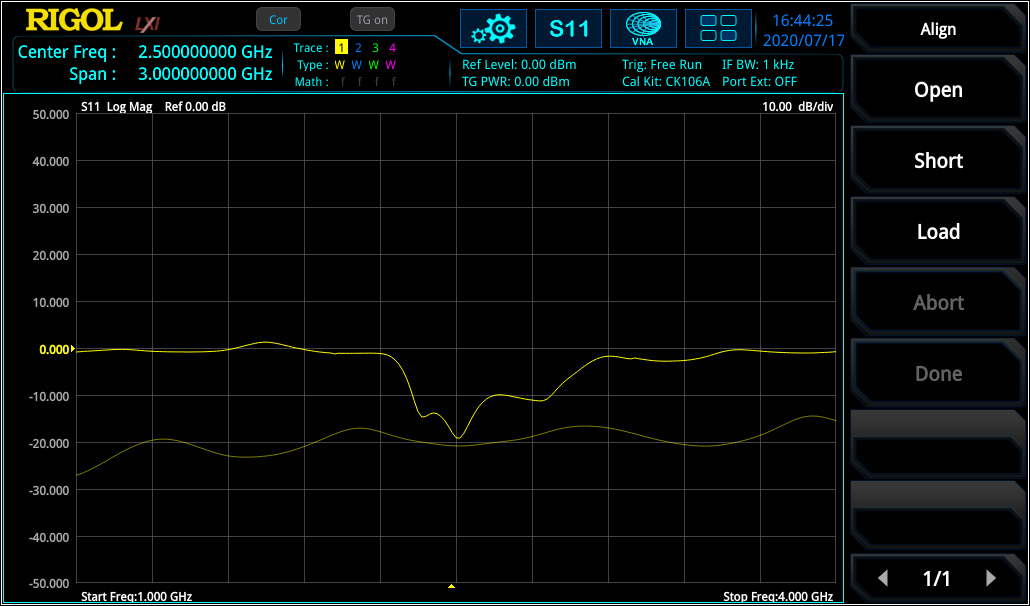
Load calibration: With using a 50 Ω impedance [load], S11A is 0 and S11M = D (Directivity Error from directivity coupler is measured). VNA is now minimising the directivity error [D] over the adjusted frequency range. After this calibration, the directivity error of RSA5000N is ~40 dB.
Short / Open calibration: From the DUT’s view there is a mismatch of source [MS] which creates a reflection loop between the DUT and the system. This failure is visible when the DUT shown a mismatch. Additionally, the frequency response failures [TR] due to connectors, cables, internal coupler, detectors occurring. With open (S11A = 1) and short (S11A = -1) calibration there will be two equation with two factors Ms and TR and the VNA knows these values.
The calibration standards Open / Load / Short and Through should be ideal to reach e.g. with Short r = -1, but they aren’t. E.g. an Open contains stray capacitances or Short contains inductivities. This is not a problem, when the non-ideal behaviour of standards is known. For RIGOL’s calibration kit CK106A (DC – 6.5 GHz) and the CK106E (DC – 1.5 GHz) the parameters are known and already integrated into the RSAxN versions. With regards to these values an accurate calibration is now possible. If an additional calibration kit is used, then these parameters needs to be customized according to this kit.

For DTF measurement, the velocity factor of cable (e.g. 70% 0.7) and the cable loss needs to be integrated to extend the accuracy of the measurement. Both values are defined in cable specification.
S21 Calibration:
For S21 (transmission factor) measurement, a Through calibration is required to flatten the frequency response of cabling and connection (needed to connect DUT to VNA) from VNA source to VNA input. Figure 13 displays the curve before and after Through calibration.

The RSA5000N and RSA3000N series have four additional application modes, in addition to the new VNA function. These four modes include RTSA (real-time spectrum analyser up to a maximum bandwidth of 40 MHz), GPSA (sweep-based spectrum analyser with outstanding performance), EMI (pre-compliance tests according to CISPR specifications) and VSA (vector signal analysis for different digital demodulation and bit error measurement, only RSA5000N). With the addition of the VNA application mode the RSA5000N and the RSA3000N series are some of the most complete RF testing platforms on the market.

Products Mentioned In This Article:

  • RSA3000N Series Please See HERE
  • RSA5000N Series Please See HERE
Posted in Blog | Comments Off on VNA Measurements Application Note

Real-Time vs. Swept Spectrum Analysers

Posted on: August 20th, 2021 by James

Real-Time Spectrum Analyser vs Spectrum Analyser
Today the RF industry has to face more and more the open question, how to transport the data from my test device (DUT) to different receiver spots (like to transmit data into World Wide Web). For IoT applications the most common way is, to use wireless transmission of data via common standards like Bluetooth, Wi-Fi or Zigbee. A more complex test system than a spectrum analyser is required to evaluate the results in a short time. Wireless transmission works with digitalisation of data. These digital data will then be modulated to an RF carrier via complex modulation schemes. This process results in a very fast and dynamic signal change over time and frequency band. Speed becomes more and more an important factor in frequency analysis. So it is not enough to use a sweep based spectrum analysers with FFT or superposition principle. Rigols new outstanding Real-Time Spectrum Analyser RSA5000 series will give the answer to that question and combines an elegant design with full flexibility and speed during test.

RSA5000 series can be switched between a common superposition spectrum analyser [SA] and a real- time spectrum analyser [RT-SA]. The RSA5000 is working like a SA of the DSA800 series but with better RF performance. This document will describe the difference of analyser techniques and will display the advantages:

The complete RF input signal will be set to an intermediate frequency via a swept local oscillator in superposition technique. In other words a signal trace of SA will be sweep between start / stop frequency according adjusted center frequency and span. Sweep time is depending of adjusted parameter like RBW, VBW, Span. This measurement technology can be perfectly used to get a fast overview of a wide range spectrum with good amplitude accuracy and for insertion loss or VSWR measurements. Additionally a common SA is a very useful tool to perform RF measurements with a big dynamic range and good performance.

For measurement of low level signals it is important to have a good dynamic range. Some standards have a low reference sensitivity level below -120 dBm which is lower than the noise level. Therefore it is necessary to have a test device with possibility to decrease the noise level as low as possible. The DANL of Rigols RSA5000-SA is specified with -165 dBm/1 Hz (typ.)1. Low signal measurements can be performed with following parameter adjustments2.

The negative aspect is that only the sweep point is measuring at a time. The rest of the trace is not updated at the same time. With SA blind time occurs where signal information is lost (see figure 1).
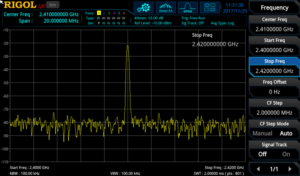
Sweep result of spectrum analyser with blind time

For example a fast changing frequency hop signal like Bluetooth can be measured with SA. One trace can be set to maximum hold. A second trace can be set to clear write. With one sweep it is not possible to capture all signal components. Several sweeps are necessary and they are only visible with maximum hold function (see figure 2). But not all frequency components are visible. There is no time information available and it is not possible to detect that this signal is a frequency hopping spread spectrum signal.
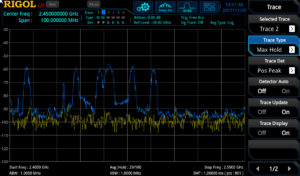
Figure 2: Bluetooth signals are only visible via max hold function with SA

Signals which are only randomly available and very fast cannot be detected. Frequency, Span and RBW has a direct influence to sweep time on common spectrum analyser. If a better frequency resolution is required, then RBW needs to be decreased. This results in a lower sweep time and capturing of fast signals is more difficult and time consuming.


The real-time spectrum analysis uses FFT technology and works without a sweep. But the calculation form is different comparing to normal FFT. In normal FFT form, calculation time needs more time than FFT process. The result is, that some parts of time signal will be lost based on the gap between the FFT acquisitions (see figure 3, below). For example this kind of FFT analysis can’t be used for measurement of pulsed signals because part of pulses could be in the gap between FFT acquisition and the frequency result will be different with each FFT acquisition.
Normal FFT Analyser example:
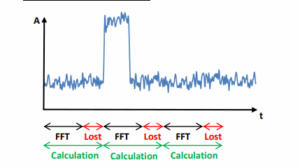
In real-time acquisition the calculation will be performed in parallel to FFT process and the calculation itself is very fast. The calculation is faster than FFT acquisition and contents all operation until displaying the trace to the display. The display data will be changed with very high and constant speed. The result is that time acquisition of different FFT blocks is gap free (see figure 4 below). Speed will be not changed with using of different RBW adjustment.
Gap free FFT example in real-time operation:
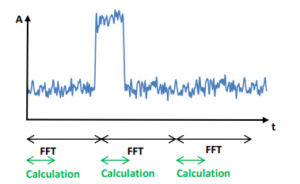
Figure 4: FFT in Real-time spectrum analyser without gaps

A fixed number of 1024 samples are used for one FFT time acquisition. Each FFT calculation is using a window function. Windowing is important to define a discrete number of time points for calculation. Size of window can be varied and is not fixed in time domain. A variation of window size will have a direct influence of real-time resolution bandwidth [RBW] or the other way around: with changing the RBW, size of window will be changed.
Slew rate, sharp of window and number of window points has an influence to leak effect3, frequency- and amplitude accuracy. Therefore several windows are available in RSA5000 series to use the device for a wide range of applications.
Negative aspect of a filter is, that some signal information will be lost due to amplitude suppression at begin and end of a filter (see figure 5).
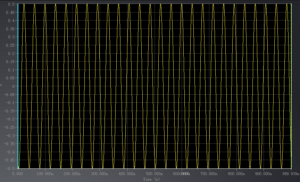
Figure 5: unfiltered time signal but with lost amplitude information

The position of a time signal like a pulse needs to be in the center of FFT window to transform it correctly into frequency range. In case that a pulse is in between two FFT events, then amplitude is suppressed by filter side loops and is no longer correct (see figure 6).
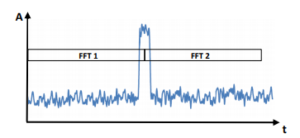
Figure 6: Amplitude is wrong if signal is located in between of two FFT blocks

An overlapping process of FFT events will be used in RSA5000 series to avoid losing signal information. Overlapping has the effect that more spectrums are available over a time period and time resolution is higher. Smaller events can be measured (see figure 7) and signal suppression of single FFT acquisition occurred due windowing is eliminated with overlapping.
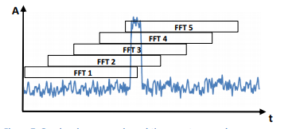
Figure 7: Overlapping process in real-time spectrum analyser

In other words, overlapping process of FFT events has a direct influence of smallest pulse width which can be measured with a real-time spectrum analyser. The RT-SA RSA5000 is working with a FFT rate of 146.484 FFT/sec. which results into a calculation speed (Tcalc) of 6,82 µsec.:

Depending on real-time span there are 4 different sample rates available. The maximum sample rate is 51,2 MSa/sec4. With that sample rate and the fixed number of samples (NFix = 1024), used for one FFT acquisition, the duration can be calculated as follow:

An overlap of FFT frames is not possible during calculation progress. Therefore the overlapping time of FFT frames can be calculated with that formula:
𝑇𝑜𝑣𝑒𝑟𝑙𝑎𝑝 = 𝑇𝑎𝑐𝑞 – 𝑇𝑐𝑎𝑙𝑐
For example with sample rate of 51,2 MSa./sec. the overlap time is 13,18 µsec or 65,86% which results into NOverlap = 674 sample points.
Probability of Intercept [POI]
POI specify the smallest pulse duration which can be measured with 100 % amplitude accuracy. Furthermore POI defines the minimum pulse width where each pulse will be captured (see figure 8). The smallest POI of RSA5000 is 7.45 µsec5.
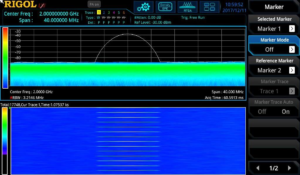
Figure 8: Measurement of a pulse of 7.45 µsec. (period: 1 sec.) with amplitude of -35 dBm. Each pulse is captured with correct amplitude.

These small pulse events can’t be measured constantly with a normal SA. A RT-SA is necessary for that kind of short events. RSA5000 can measure a minimum event of 25 nsec., but not with 100% amplitude accuracy and not all pulses will be measured (see figure 9).
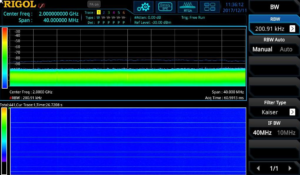
Figure 9: Measurement of a pulse of 25 nsec. (period: 1 sec.) with amplitude of -35 dBm. Not all pulses are captured. Amplitude is wrong amplitude.

POI depends on FFT rate, used RBW and adjusted Span. The principle of POI is described with a span of 40 MHz (=51,2 MSa/sec.) and RBW of 3.21 MHz (Kaiser Window) in figure 10. Due to calculation time, second FFT acquisition starts after 6.82 µsec. Window size is depending of RBW in real-time mode:
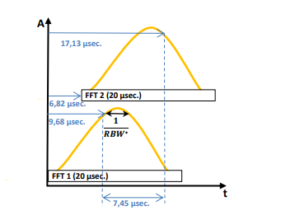
Figure 10: Example with RT-Span of 40 MHz, sample rate of 51.2 MSa/s and RBW of 3.21 MHz (Kaiser Filter)

With that POI and speed it is now possible to measure a Bluetooth signal with the RT-SA mode of RSA5000 series. Usage of maximum hold is no longer needed. It is possible to set 6 different RBW settings in RT-SA mode and speed is not affected. RSA5000 provides different measurement modes for the analysis:

  • Normal Trace Analysis
  • Density Analysis
  • Spectrogram
  • Power vs Time
    In normal mode the trace information of current time is visible. It looks like a trace of a SA but due to the real-time sweep more information is visible at the same time compare to SA. Normal trace analysis is a 2D measurement (power over frequency).
    Density Analysis is the same result like normal trace analysis. But with density analysis it is additionally possible to analyse the repetition rate of a signal. Density is working with a colour scheme (from blue = 0% to red = 100%, see figure 8). As more often the signal hits a single pixel point within a certain time, as higher is the percentage which defines the colour of this pixel. For example a constant wave [CW] signal would be visible in red colour. A very short single signal event would be visible in blue colour. The colour percentage can be calculated as follow:

This could be a signal with a pulse width of 30 msec. With acquire time of e.g. 60 msec. n = 50% which would be result into the colour ‘yellow’ (see figure 11, below). The normal trace in density has the colour white. Density analysis is a 3D measurement (power over frequency over repetition rate).
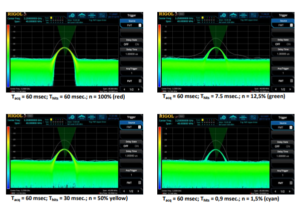
Figure 11: Density example with colour scheme examples

In normal and density mode it is possible to activate a spectrogram measurement. Spectrogram is a waterfall measurement frequency over time and bring the possibility to measure out duration of pulses (like for Bluetooth signals). A spectrogram also works with a colour scheme for signal level (DANL: 0% = blue, Reference level: 100% = red). With waterfall spectrogram it is possible to analyse on / off scenarios of signals. Density in combination with spectrogram is a 4D measurement (power over frequency over repetition rate and power over time, see figure 12 with a Bluetooth example).
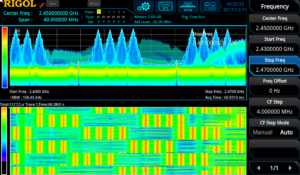
Figure 12: Bluetooth signal measured with density spectrogram

In Power vs Time (PvT) it is possible to display the time domain of a signal within adjusted real-time bandwidth. The acquisition time can be changed in this measurement. The Power vs Time analysis is displayed for the used real-time bandwidth and not to RBW like in SA with zero-span configuration. Signal bursts of modulated signals and pulses can be displayed to measure duty cycle and amplitude of a pulse or to display pulse trains over certain time. PvT can be used in combination of normal trace analysis (frequency spectrum) and spectrogram (see figure 13).
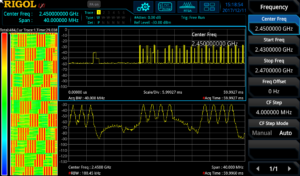
Figure 13: normal trace vs spectrogram vs PvT of a Bluetooth signal

Comparing the measurement result of Bluetooth signal in figure 12 and figure 13 and the result of SA (figure 2) test engineer has much more information available now. Within the adjusted real-time bandwidth all frequency components can be measured. Time information can be displayed in parallel of spectrum measurement. In spectrogram it is visible that this signal is a frequency hopping spread spectrum signal and the length of data block can be analysed. The Power vs Time is no longer depended on RBW bandwidth like in SA and frequency domain and time domain can be displayed in one time.

Products Mentioned In This Article:

  • DSA800 Series please see HERE
  • RSA5000 Series please see HERE
Posted in Blog | Comments Off on Real-Time vs. Swept Spectrum Analysers

IoT Antenna Debugging

Posted on: August 20th, 2021 by James

Wireless Communication and Function
The internet of Things (IoT) is one of the fastest growing areas of technology today. In this increasing competitive field, the greatest challenge facing IoT device manufacturers is determining how to create the smallest devices possible without sacrificing performance in terms of range or power. For IoT devices that utilise radio frequency (RF) communication, one of the greatest opportunities to improve the design of the device while also improving the range and quality; that is, it provides the greatest possible range given the available power and size constraints.
Determining Operating Frequency
To Determine if an antenna is performing as efficiently as possible, the first step is knowing the exact frequency bandwidth that is intended to be used to transmit information. This is generally determined by the communication protocol that will be used, along with the kind of RF circuit that is being designed. This will affect the natural properties of the signal; in general, the higher the frequency the more power is needed to transmit the same information.
Antenna Testing Methodologies
Once the frequency range has been
determined there are several simple tests that can be performed to help identify or verify which antenna will be best suited for the application, including a bandwidth test (or tracking generator test) and a voltage standing waveform ratio (VSWR) test. These two tests will determine the operational bandwidth of a matched set of antennas, and how efficient they are at the desired frequency bandwidth. With a more efficient antenna, less power is required to transmit a signal over a given distance. This can help increased the battery life, reduce the size of the IoT product or add addition range to the product.
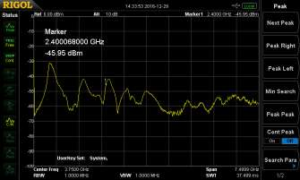
Performing a bandwidth test will help to determine if a pair of matched antennas will operate properly at the desired frequency bandwidth. This test must be performed on a spectrum analyser that can operate at the desired frequency bandwidth and has a tracking generator built in; this allows the user to inspect the operating bandwidth as a function of its own power level. This is done by connecting the antenna to the front of a spectrum analyser that has the tracking generator enabled. When the test is performed the spectrum analyser, will transmit a sine wave that is being swept across the desired frequency bandwidth while listening for the signal with the input of the spectrum analyser, and then compare the power level of the transmitted signal. To perform this, test the entire range of the spectrum analyser was used from 9kHz to 7.5GHz to determine the best operating bandwidth for the antennas. See Figure 1.

Figure 1: A bandwidth test being performed on two matched antennas that are rated for the 2.4GHz bandwidth.

As shown in Figure 1, the frequency ranges where the antenna received the most power at 900MHz bandwidth, 1.5GHz bandwidth and at 2.4GHz bandwidth: therefor this antenna is capable of being used efficiently at these three bandwidths. This makes this antenna and excellent choice for either Wi-Fi or Bluetooth applications which operate at 2.4 GHz bandwidth.

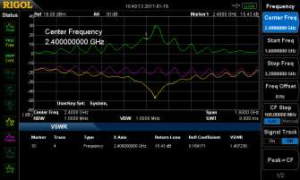
The next test requires the use of a spectrum analyser with a tracking generator as well as a VSWR bridge. The VSWR test is designed to determine the reflection coefficient of a given antenna to help determine the most efficient antenna at a given frequency. VSWR is determined by measuring the voltage standing waves along a transmission line leading to an antenna, it is the ratio of the peak amplitude of a standing wave and the minimum amplitude of a standing wave. When an antenna’s impedance is not matched with the transmission line, power is reflected reducing the amount of transmitted power. The ideal VSWR would be equal to 1 (no power being reflected) at the desired frequency. To perform this, test the desired frequency (2.4GHz) was selected and then the antenna was attached the bridge. A VSWR bridge measures the amount of power that is transmitted into antenna and compares it with the reflect power. Due to the design of a VSWR bridge most of the power that is reflected at a given frequency is the reflected power from the antenna. See Figure 2.

Figure 2: The image shows a VSWR test being performed on an antenna that is meant to operate at 2.4 GHz and has a VSWR of 1.17.

Based on Figure 2, the antenna has a VSWR of 1.17 at a frequency of 2.4GHz which makes this antenna almost an ideal antenna for Wi-Fi and Bluetooth communication. With a more efficient antenna, less power is required for transmission, which can increase the effective range of the device. Focusing on improving this one aspect of the IoT device can vastly improve the functionality of the device and address a number of challenges inherent in the overall design.
Additional Areas of Interest
Range is another critical aspect of an IoT device’s design. Sufficient range is required to facilitate wireless communication between IoT devices or with the internet. It is a critical aspect of the initial design and protocol selecting process. For instance, Near-Field Communication (NFC) is a communication technique that is used to transmit information over a couple of inches whereas Bluetooth is used to transmit information for tens of feet. Range requirements will also affect what type of antenna is being used to transmit data, along with determine whether to use a highly directional antenna or an omni directional antenna. Another consideration is the effective range required will determine the amount of power that is needed for transmission; thus, an antenna that makes more efficient use of the available power will help to ensure that the device will have the desired range.

Another area of interest to improve the functionality of an IoT device by eliminating or reducing interference to the RF signal. Interference can be generated by the electronic components used in the device itself such as the PCB, battery or user interface, or it can also be generated by the enclosure used to both protect the electronic components and improve the appearance of the device.

Conclusion and Key Learnings
With more Internet of Things devices being conceptualized every day, creating reliable Radio Frequency communication is an essential step towards creating a device that will stand out among the crowd. Successful device manufacturers must overcome the most difficult efficient antenna possible. Key test and measurement equipment will help facilitate basic antenna testing and interference testing that will help overcome these RF communication challenges.

Posted in Blog | Comments Off on IoT Antenna Debugging

FM signal transmission and demodulation demo

Posted on: August 20th, 2021 by James

Solution: This application note is designed to show FM data transmission and modulation using some common test instruments.

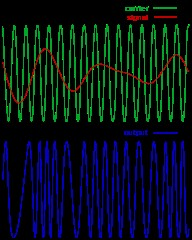
An FM transmission consists of a wave who’s frequency is modulated, or changed, with respect to an input signal. If the input signal frequency changes, so does the carrier frequency.

The modulating signal affects the FM deviation. The total deviation is a function of the modulating signal’s frequency and amplitude.
Here is a typical FM signal shown on an amplitude vs. time graph.

In this demonstration, we are going to use an arbitrary waveform generator to create an FM signal. The FM signal will be modulated by a audio source.
This signal will be transmitted from the output of the generator through an antenna to the input of a spectrum analyser. There, the signal will be displayed on the spectrum analyser, demodulated, and played back through the internal speaker of the instrument.
Required Hardware:
1. A Spectrum Analyser with demodulation capabilities: The Rigol DSA800, 1000, and 1000A series of spectrum analysers all support this function. This demo will use the DSA-1030A, but the process is basically the same.
2. Arbitrary Waveform Generator: Rigol’s DG4000 series is perfect for this experiment. We use the DG4162 160MHz model in this demo.
3. Music source with a headphone jack. In this demo, we will use a cell phone with music source.
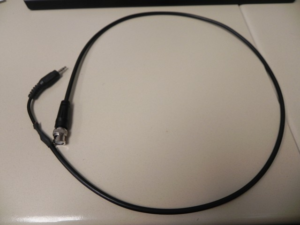
4. Adapter cable from music source to BNC cable. In this demo, we made a cable by splicing a 3.5mm audio jack to a 50 ohm coaxial cable with a BNC termination.

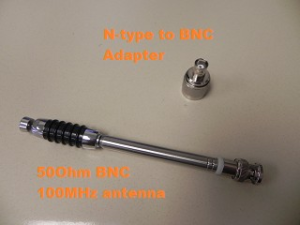
5. N-Type to BNC adapter. This is used to adapt the DSA input to the antenna.

6. Qty 2 FM Radio Antennas with matching frequency ranges. In this demo, we use (2) BNC terminated center loaded whip antennas from Radio Shack.

Configure the Arbitrary waveform generator:
In this setup, we want to use the Sine function of the arbitrary waveform to create the carrier wave that supports the signal that we want to transmit and . The audio input signal will be used to modulate the carrier frequency by the deviation that we set.
In the US, commercial radio stations transmit from 87.9 to 107.9MHz. The FM deviation, or amount that the carrier frequency is modulated, is less than or equal to 150kHz, or +/- 75kHz around the carrier frequency.
1. Power on the DG4000.
2. Connect the BNC-to-Phone jack to the CH1 Mod/FSK/TRIG input on the back of the DG4000.
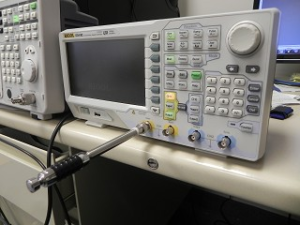
3. Connect the antenna to the Channel 1 output.

4. Connect your music source and start the music. Make sure to enable the sound on the device.. check that the volume level is > 0.
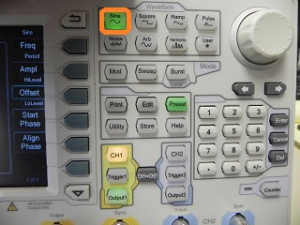
5. Configure the DG4000 to output a sine by pressing Sine on the Waveform area of the front panel.

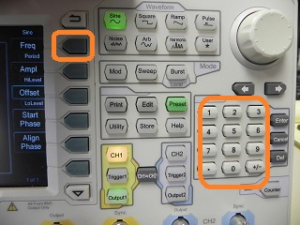
6. Set the frequency of the sine wave to 100.00MHz.

NOTE: You may need to change the frequency by a few 100kHz, if the local radio stations are interfering with the band you are transmitting in. You can simply change the carrier a few 100kHz.
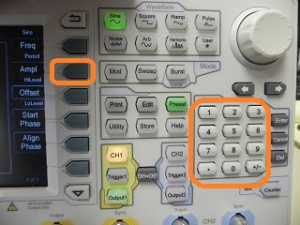
7. Set the amplitude to 2Vpp by pressing the Amp button and then entering 2Vpp on the keypad. Alternately, you can use the scroll wheel to change the values.

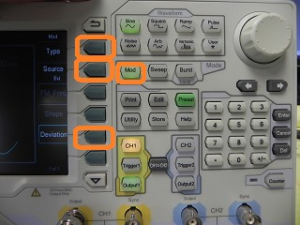
8. Press the Mod key to enable modulation.
• Set type to FM
• Set source to external
• Set deviation to 150kHz

Configure the Spectrum Analyser:
The arbitrary waveform generator is used to create the FM signal and the spectrum analyser is used to capture and demodulate the transmission.
In the US, commercial radio stations transmit from 87.9 to 107.9MHz. The FM deviation, or amount that the carrier frequency is modulated, is less than or equal to 150kHz, or +/- 75kHz around the carrier frequency.
1. Power on the DSA.
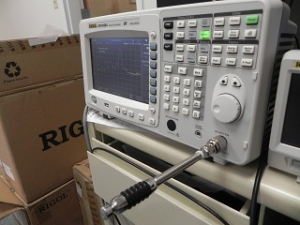
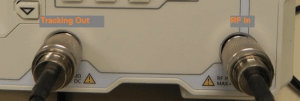
2. Connect the N-type adapter and antenna to the RF input

3. BNC-to-Phone jack to the CH1 Mod/FSK/TRIG input on the back of the DG4000.
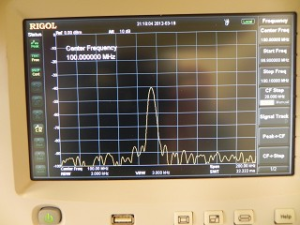
4. Set the center frequency equal to the carrier frequency of the arbitrary waveform generator. In this example, we have set the DG4000 to output at 100.00MHz.

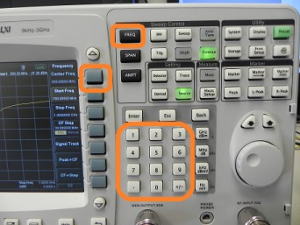
• Press Freq > Center Frequency > 100.00MHz

NOTE: You may need to change the frequency by a few 100kHz, if the local radio stations are interfering with the band you are transmitting in. You can simply change the carrier a few 100kHz.
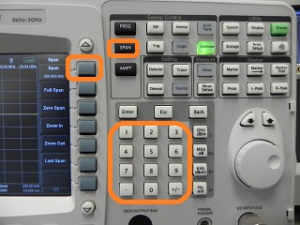
5. Set the span of the DSA to 200kHz.
• Press Span > set span to 200kHz using the keypad

• You should see the signal present on the DSA. You can observe the signal by turning the DG4000 output on and off. The DSA signal should go flat when the DG4000 is off and then rise when the output is on.

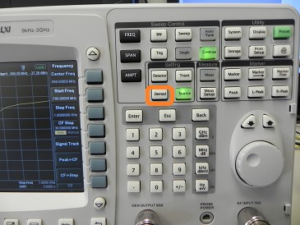
6. Now, we can demodulate the FM signal and listen to the transmission.
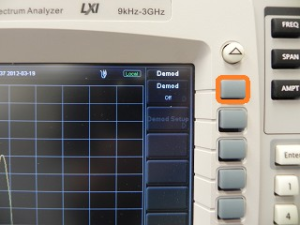
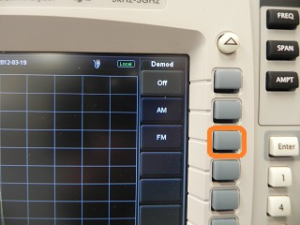
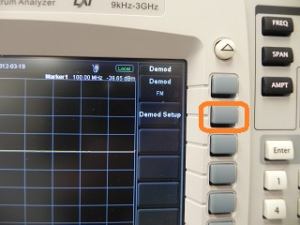
• Press Demod

• Enable Demod

• Press FM

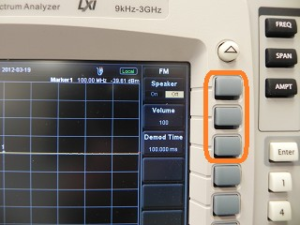
• Press Demod Setup

• Turn the Speaker ON
• Set volume to 100
• Set Demo Time to 10s

Products Mentioned In This Article:

  • DSA800 Series please see HERE
  • DG4000 Series please see HERE
Posted in Blog | Comments Off on FM signal transmission and demodulation demo

How to measure a filter using a DSA-815-TG Spectrum Analyser

Posted on: August 20th, 2021 by James

Solution: This document provides step-by-step instructions on using the Rigol DSA800 series of Spectrum Analysers to measure the characteristics of an RF Bandpass filter.
NOTE: The DSA must have a Tracking Generator to effectively perform the following test.
Normalise the trace (Optional)
Many elements in an RF signal path can have nonlinear characteristics. In many cases, these nonlinear effects on your base measurements can be minimised by normalising the instrument.
1. Connect tracking generator output to RF input using the same cabling that you will be using to test your device. Any element, like an adapter, used during normalisation should also be used during device measurement as any changes to the RF signal path could effect the accuracy of the measurement.
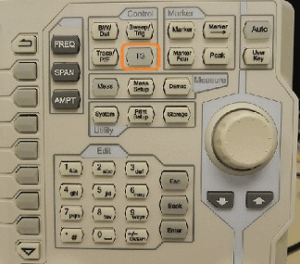
2. Enable the tracking generator by pressing the TG button > TG On
3. Store the reference trace by pressing the TG button > Normalise > Stor Ref
4. Enable normalisation by pressing the TG button > Normalise > Normalise on

Measure the filter
1. Connect the tracking generator output to the filter input using the appropriate cabling and connectors.
2. Connect the filter output to the instrument RF input.

3. Set the tracking generator amplitude by pressing the TG button and the TG Amplitude. You can use the keypad or wheel to enter the correct value.

NOTE: If your instrument is equipped with a Preamplifier, you can enable it to lower the displayed noise floor by pressing the following sequence:
Amplitude button > Down Arrow > RF Preamp On
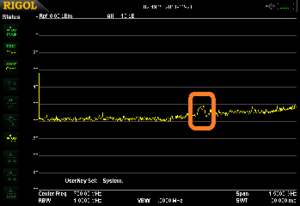
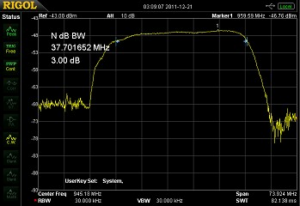
4. Enable the Tracking generator by pressing the TG button > RF Source ON You can see the small bump in the figure below.

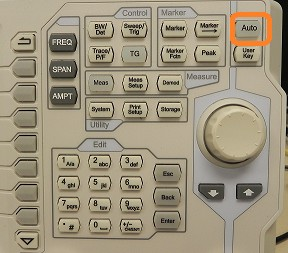
5. You can use the Auto button to center and zoom on the waveform. You can also use the Freq and Span buttons to manually manipulate the displayed data.


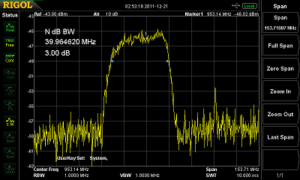
6. You can now enable the Marker function to measure the bandwidth and attenuation or passband characteristics of the filter.

7. Press Marker Fctn > N dB BW and set the function to the amplitude of interest. In this example, we are measuring the 3dB Bandwidth of our filter.

Products Mentioned In This Article:

  • DSA800 Series please see HERE
Posted in Blog | Comments Off on How to measure a filter using a DSA-815-TG Spectrum Analyser